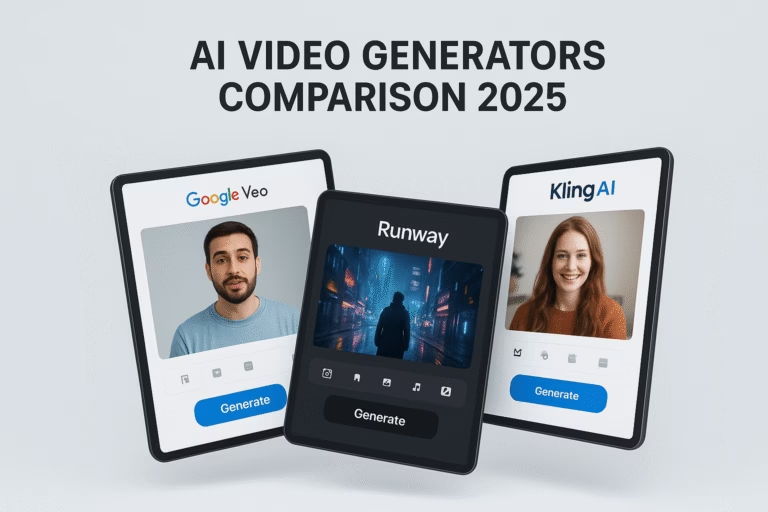
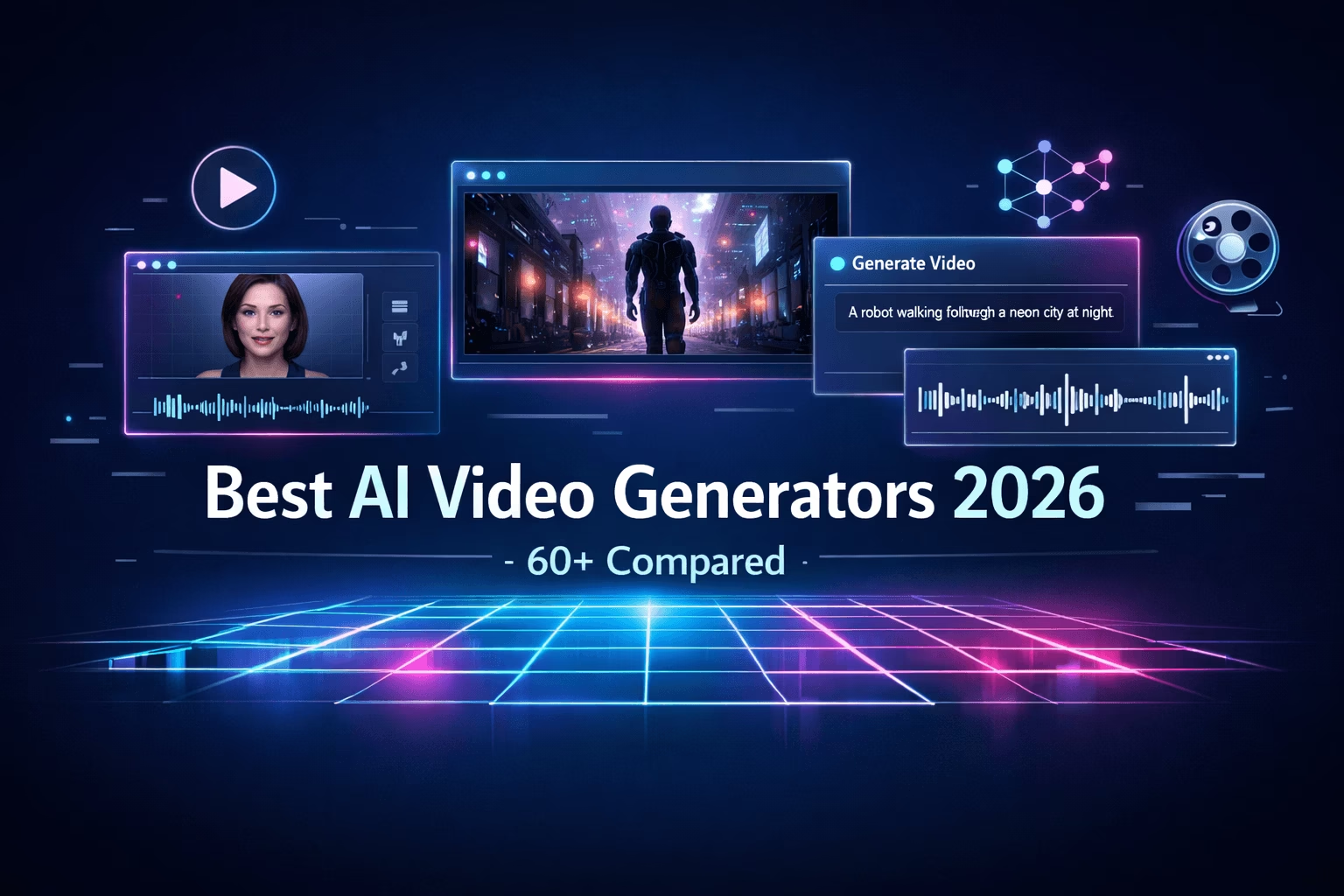
Futuristic collage of 2026 AI video generators: talking avatars, cinematic scenes, text-to-video prompts and waveforms on glowing holographic screens – best AI video tools comparison guide
Best AI Video Generators 2026: Top 60+ Tools Compared (Ultimate Guide)

Best AI Video Generators 2026: Top 60+ Tools Compared

The complete guide to choosing the perfect AI Video Generators for your needs – from enterprise training to cinematic content creation

Fully Updated • January 2026

What is an AI Video Generator in 2026?

An AI Video Generator is a software tool that uses artificial intelligence to create videos from text prompts, images, or scripts. In 2026, AI Video Generators have evolved from experimental tools to production-grade platforms capable of creating everything from professional training videos to cinematic content.

The best AI Video Generators now offer native audio generation with perfect lip-sync, realistic physics simulation, extended clip lengths (2+ minutes), and enterprise-grade security features. Whether you need avatar-based presenter videos, fully generative cinematic scenes, hybrid solutions that combine stock footage with AI elements, or multi-model aggregators for maximum flexibility, there’s an AI video generator optimized for your specific use case.

This comprehensive guide reviews 60+ top AI video generator tools in 2026, comparing features, pricing, pros/cons, and ideal use cases to help you choose the perfect solution for your needs.

AI Video Generators Comparison

Compare all 62 AI video generators at a glance – scroll horizontally to see all details

NumberAI GeneratorCategoryBest ForMax LengthAudioStarting PriceRating
#1Synthesia ↗AvatarEnterprise TrainingUnlimited✓ Advanced$18/mo9.2
#2HeyGen ↗AvatarMarketing & SalesUnlimited✓ Yes$24/mo9.5
#3Colossyan ↗AvatarL&D / ComplianceUnlimited✓ Yes$19/mo8.8
#4DeepBrain AI ↗AvatarCorporate VideoUnlimited✓ Yes$24/mo8.9
#5Elai.io ↗AvatarInteractive LearningUnlimited✓ Yes$23/mo8.7
#6D-ID ↗AvatarApp Developers / APIShort✓ Yes$5.90/mo8.6
#7Hour One ↗AvatarBroadcast MediaUnlimited✓ Yes$25/mo8.5
#8VEED.io ↗HybridSocial EditingUnlimited✓ Yes$12/mo8.3
#9Kling AI ↗GenerativeCinematic Realism2+ min✓ Yes$6.99/mo9.8
#10Runway ↗GenerativeFilm Directors20s+No$15/mo9.4
#11Google Veo 3 ↗GenerativeNative Audio Sync60s+✓ Native$19.99/mo9.6
#12OpenAI Sora 2 ↗GenerativePhysics Simulation20s+✓ NativeChatGPT+9.7
#13Luma AI ↗GenerativeRapid Prototyping5-10sNo$9.99/mo9.0
#14Hailuo AI ↗GenerativeCharacter Consistency6s+No$9.99/mo8.9
#15Pika Labs ↗GenerativeViral Effects3-10s✓ Lip Sync$8/mo8.5
#16Kaiber ↗GenerativeMusic VisualizationLong✓ Audio React$5/mo8.2
#17LTX Studio ↗GenerativeStoryboardingScene✓ Yes$15/mo8.3
#18Genmo (Mochi) ↗GenerativeOpen Source10sNo$10/mo8.0
#19InVideo AI ↗HybridMarketing Videos10+ min✓ Yes$20/mo8.0
#20Fliki ↗HybridBlog-to-Video10+ min✓ Advanced$28/mo8.4
#21Zebracat ↗HybridSocial Ads30s+✓ Yes$19/mo7.9
#22Opus Clip ↗RepurposingPodcast Clips60s✓ Captions$15/mo8.8
#23quso.ai ↗RepurposingWebinar Clips60s✓ Captions$16/mo8.3
#24Steve.ai ↗HybridAnimation/ExplainerMedium✓ Yes$15/mo7.8
#25Wisecut ↗Auto-EditorTalking HeadsLong✓ Music$10/mo7.7
#26Descript ↗EditorPodcastsUnlimited✓ Cloning$12/mo8.6
#27Lumen5 ↗HybridB2B MarketingMedium✓ Yes$19/mo8.1
#28Pictory ↗RepurposingZoom RecordingsLong✓ Yes$19/mo8.2
#29FlexClip ↗HybridTemplatesMedium✓ Yes$9.99/mo7.9
#30Animoto ↗HybridSlideshowsMedium✓ Yes$15/mo7.6
#31Jogg AI ↗HybridE-commerceShort✓ Yes$29/mo7.8
#32Vimeo Editor ↗EditorHosting + EditUnlimited✓ Yes$20/mo7.5
#33ElevenLabs ↗SpecialtyVoice + VideoMedium✓ Best$5/mo8.4
#34ImagineArt ↗AggregatorCheap AccessVariesNo$15/mo7.9
#35Magic Hour ↗SpecialtyStyle TransferShortNo$15/mo8.2
#36Higgsfield ↗AggregatorMobile AppsVariesNo$10/mo8.8
#37Pollo AI ↗AggregatorViral PhysicsShortNo$9.99/mo8.4
#38PixVerse ↗GenerativeAnimeShortNo$10/mo8.5
#39Vidu AI ↗GenerativeCharacters4s+No$9.99/mo8.6
#40Seedance ↗SpecialtyDancersShortNo$12/mo8.3
#41DomoAI ↗SpecialtyVideo-to-AnimeShortNo$9.99/mo8.5
#42revid AI ↗HybridFaceless TikTokShort✓ Yes$19/mo8.1
#43Vimerse ↗HybridStructured StoryMedium✓ Yes$15/mo8.0
#44WaveSpeed ↗AggregatorSpeed/APIVariesNo$19/mo8.7
#45OmniHuman ↗SpecialtyPhoto-to-TalkShort✓ Yes$15/mo8.6
#46Flux Video ↗GenerativeArtisticShortNo$10/mo8.4
#47Akool ↗SpecialtyFace SwapMedium✓ Yes$21/mo8.3
#48Vadoo AI ↗HybridSEO VideoMedium✓ Yes$19/mo7.8
#49EasyVid ↗HybridMinimalistShort✓ Yes$9/mo7.7
#50Hedra ↗SpecialtySinging AvatarsUnlimited✓ BestFree9.2
#51Canva ↗HybridSocial Graphics60s✓ MusicFree8.9
#52CapCut ↗HybridViral Shorts15m+✓ ViralFree9.1
#53Krea Video ↗GenerativeStyle Control10sNoFree9.0
#54Wan 2.6 ↗GenerativeStable Motion5s+NoVaries9.3
#55SkyReels ↗HybridComics/AnimeLong✓ Yes$19/mo8.5
#56Haiper ↗GenerativeShort Clips4sNoFree8.7
#57Moonvalley ↗GenerativeCinematicLongNo$15/mo8.2
#58Leonardo.Ai ↗ArtisticImage Motion4sNo$10/mo8.8
#59Viggle ↗SpecialtyMemes/DanceShort✓ YesFree9.4
#60Freepik AI ↗HybridStock VideoShortNo$12/mo8.6
#61MiniMax 02 ↗GenerativeRealism6sNo$9.99/mo9.1
#62Adobe Firefly ↗SpecialtySafe Commercial5sNoAdobe CC8.9

↕️ Scroll vertically for more tools • ↔️ Scroll horizontally for details

👤 Avatar / Presenter AI Video Generators (#1-8)
#1
SYNTHESIA

Synthesia

Avatar From $18/mo ★ 9.2/10
Overview: Synthesia is the #1 AI video generator for enterprise with studio-quality avatar videos from text/scripts. Synthesia 3.0 (Express-2 engine) delivers expressive full-body gestures, natural lip-sync, and emotions. Trusted by 90%+ of Fortune 100 companies for training, onboarding, and global communications.
🎯 Best Fit in 2026
HR/L&D teams, global enterprises, e-learning creators needing scalable, multilingual, professional presenter videos for training modules, product explainers, compliance content, and internal updates.
  • 230+ lifelike AI avatars with expressive gestures and emotions
  • 140+ languages/accents with 1-click AI dubbing and lip-sync translation
  • Personal avatars from single image plus voice cloning
  • AI Video Assistant generates scripts from docs/links
  • Sora 2/Veo 3.1/FLUX.2 integration for backgrounds
  • Real-time collaboration, SCORM export, analytics, brand kits, API
  • Enterprise security: SOC2, GDPR, ISO, SAML/SSO
$18/month
Free/Basic $0 (3 min/mo, testing)
Starter $18/mo annual (~120 min/year)
Creator (Popular) $64/mo annual (~360 min/year)
Enterprise Custom (Unlimited)
Pros
  • Unmatched professionalism & realism
  • Superior multilingual dubbing
  • Enterprise-ready security
  • 90% faster than traditional video
Cons
  • Primarily presenter-led style
  • Credits limit on lower plans
  • Occasional uncanny moments
#2
HEYGEN

HeyGen

Avatar From $24/mo ★ 9.5/10
Overview: HeyGen is a top AI video generator excelling in hyper-realistic avatars with natural micro-expressions, breathing, and lip-sync. Perfect for marketing, sales, training, and interactive videos—often edges Synthesia in raw avatar realism.
🎯 Best Fit in 2026
Marketing/sales teams and creators needing quick, lifelike spokesperson videos with global reach and multilingual capabilities.
  • 700+ stock avatars plus custom from photo/video
  • 175+ languages/dialects with AI dubbing and translation
  • Unlimited voice cloning capabilities
  • Interactive avatars for chat and streaming
  • Fast processing with 4K export options
  • FaceSwap, background removal, extensive templates
  • Team workspace and brand asset management
$24/month
Free Limited (3 videos/mo, 3 min max)
Creator $24/mo annual
Team $30/seat annual (2 seats min)
Enterprise Custom (API, advanced)
Pros
  • Superior avatar realism & movements
  • Extremely fast generation
  • Strong interactive features
  • Easy-to-use interface
Cons
  • Less enterprise security than Synthesia
  • Single-presenter focus
  • No deep analytics or SCORM
#3
COLOSSYAN

Colossyan

Avatar From $19/mo ★ 8.8/10
Overview: Colossyan is an AI video generator specializing in instructional content with scenario-based learning, quizzes, and branching. Strong for compliance and onboarding—more L&D-focused than HeyGen or Synthesia.
🎯 Best Fit in 2026
Corporate training and compliance teams prioritizing interactivity, SCORM compatibility, and structured learning experiences.
  • 170+ avatars plus custom avatar creation
  • 100+ languages with voice cloning and side-view avatars
  • Import PowerPoint and PDF files directly
  • Interactive quizzes and branching video scenarios
  • AI script assistant and prompt-to-video
  • SCORM export, brand templates, 4K export
$19/month
Free 15 min/mo (watermark)
Starter $19/mo annual (15 min/mo)
Business $70/mo annual (unlimited)
Enterprise Custom (advanced security)
Pros
  • Excellent for structured learning
  • Unlimited videos on Business+
  • Good value for training volume
  • Strong interactivity features
Cons
  • Avatars less realistic than leaders
  • Watermark on lower plans
  • Limited free tier
#4
DEEPBRAIN AI

DeepBrain AI Studios

Avatar From $24/mo ★ 8.9/10
Overview: DeepBrain AI Studios is a robust AI video generator platform specializing in lifelike AI avatars and full video production from scripts, PPTs, or prompts. Excels in corporate training, marketing explainers, and e-learning with strong AI dubbing across 80+ languages.
🎯 Best Fit in 2026
Businesses, educators, and marketers focused on training videos, product demos, or multilingual content. Strong alternative to Synthesia for PPT-heavy workflows.
  • 100+ hyper-realistic AI avatars (royalty-free)
  • 80+ languages/accents with advanced AI dubbing
  • Custom avatars from photo/video plus voice cloning
  • PPT/PDF import with one-click subtitle generation
  • Full editing suite with brand kits and templates
  • Team collaboration, API access, GDPR-compliant
$24/month
Free Limited credits (watermark)
Personal/Starter $24-$29/mo (~15-30 min/mo)
Team/Business $55-$100/mo (higher minutes)
Enterprise Custom (unlimited minutes)
Pros
  • Exceptional avatar realism & dubbing
  • One-stop workflow (script-to-video)
  • Great for PPT-to-video conversion
  • Royalty-free assets
Cons
  • Slightly less expressive than top tier
  • Strict minute limits on lower plans
  • Interface can feel busy
#5
ELAI.IO

Elai.io

Avatar From $23/mo ★ 8.7/10
Overview: Elai.io is an AI video generator specializing in interactive, avatar-led videos from text, PPTs, blogs, or URLs. Perfect for e-learning, corporate training, and marketing with branching scenarios, quizzes, and personalized learning paths.
🎯 Best Fit in 2026
L&D/HR teams, educators, and compliance creators needing interactive, scorable videos with strong personalization options.
  • 80+ high-quality avatars plus custom/selfie avatars
  • 70+ languages with AI voice cloning and automated dubbing
  • Interactive elements: quizzes, branching paths, CTAs
  • PPT/blog/URL-to-video with AI storyboard generator
  • Media library with stock assets, GIFs, animations
  • Brand kits, SCORM export for LMS integration
$23/month
Free Limited minutes (watermark)
Basic/Advanced $23-$29/mo (15+ min/mo)
Enterprise Custom (unlimited, SSO)
Pros
  • Best-in-class interactivity
  • Strong personalization tools
  • Excellent PPT/URL import
  • Good value for educational teams
Cons
  • Avatars less natural than leaders
  • Add-ons increase costs
  • Slower processing on lower plans
#6
D-ID

D-ID

Avatar From $5.90/mo ★ 8.6/10
Overview: D-ID’s Creative Reality Studio is an AI video generator that leads in quick, photorealistic talking avatars from text, photos, or scripts. Favored for marketing, customer service, and social content with real-time animation.
🎯 Best Fit in 2026
Marketers, creators, and customer service teams needing rapid, realistic talking-head videos for ads, social media, or chatbots.
  • Photorealistic avatars from photo or video input
  • Text-to-video with image animation capabilities
  • Voice cloning across 100+ languages
  • API for scale and real-time conversational avatars
  • Templates, editing tools, watermark-free exports (paid)
  • Focus on ethical AI and transparency
$5.90/month
Free Trial Limited generations
Starter/Basic $5.90-$29/mo (credits)
Pro/Team $50-$100+/mo (API access)
Enterprise Custom (priority, scale)
Pros
  • Fastest generation for quick clips
  • Excellent photo-to-avatar realism
  • Most affordable entry point
  • Strong API for integrations
Cons
  • Shorter clip focus (not long-form)
  • Fewer enterprise tools (no SCORM)
  • Queue times on free tiers
#7
HOUR ONE

Hour One

Avatar From $25/mo ★ 8.5/10
Overview: Hour One is an AI video generator delivering hyper-realistic, natural-moving AI avatars for professional videos from text or scripts. Targets businesses with centralized workflows, branding, and high-fidelity cinematic-quality output.
🎯 Best Fit in 2026
Corporate teams wanting cinematic-quality presenter videos with strong branding and natural avatar movements.
  • Lifelike avatars with natural movements and gestures
  • Text-to-video with AI script generation
  • Voice cloning and multi-avatar scenes
  • Brand kits, templates, fast rendering
  • 4K export and team collaboration tools
  • Security and ethical protocols for enterprise
$25/month
Free Limited (3 min, business email)
Lite/Starter $25-$30/mo annual (minutes-based)
Business/Pro ~$112/mo (higher minutes)
Enterprise Custom
Pros
  • Top-tier avatar naturalness
  • Streamlined for business workflows
  • Good value for mid-volume use
  • Easy no-skills interface
Cons
  • Minute limits add up quickly
  • Fewer languages than leaders
  • Limited interactive features
#8
VEED.IO

VEED.io

Hybrid Avatar + Editor From $12/mo ★ 8.3/10
Overview: VEED.io is a hybrid AI video generator combining avatar generation with powerful browser-based editing. Fast all-in-one solution for social and marketing videos with auto-subtitles, background removal, and AI enhancement tools.
🎯 Best Fit in 2026
Content creators and marketers needing quick, edited avatar videos for social media, reels, and short-form content.
  • AI avatars with text-to-video generation
  • Auto-subtitles, translation, eye contact fix
  • Background remover and smart cropping
  • Extensive templates and stock library
  • 4K export and collaboration features
  • Brand kits for consistent styling
$12/month
Free Watermark, limited features
Basic/Pro $12-$29/mo (advanced AI)
Business ~$59/mo (teams, no watermark)
Pros
  • Super-fast and intuitive editing
  • Great for social/short-form
  • Strong AI enhancements
  • Very affordable
Cons
  • Avatars less advanced than dedicated tools
  • Not ideal for long training videos
  • Limited enterprise features
🎨 Cinematic / Generative AI Video Generators (#9-18)
#9
KLING AI

Kling AI

Generative From $6.99/mo ★ 9.8/10
Overview: Kling AI dominates 2026 as the top cinematic AI video generator for unmatched realism, precise motion/physics, advanced camera controls, and native lip-sync. Excels in dynamic scenes, longer clips, and filmmaker workflows—often beating competitors in benchmarks for natural movement and detail.
🎯 Best Fit in 2026
Filmmakers and creators needing hyper-realistic, controllable videos with strong motion/physics simulation for cinematic B-roll, ads, or storytelling.
  • Kling 2.5/2.6 models (Turbo for speed, Master/Pro for quality)
  • Up to 2+ min clips with intelligent extensions
  • 1080p+ resolution with native lip-sync and basic audio
  • Advanced controls: motion brushes, camera pans/zooms, elements editing
  • Image-to-video and professional mode with priority queue
  • API access, no watermarks on paid plans
$6.99/month
Free Limited daily credits (watermark)
Standard $6.99-$29/mo (higher credits)
Pro/Master $80-$100+/mo (unlimited queue)
Pros
  • Best-in-class realism and physics
  • Excellent value for quality
  • Fast professional mode generations
  • Strong for longer-form cinematic
Cons
  • Queue times during peak hours
  • Credit costs add up for heavy use
  • Interface primarily in Chinese
#10
RUNWAY ML

Runway ML (Gen-4/Gen-4.5)

Generative From $15/mo ★ 9.4/10
Overview: Runway is a leading AI video generator with integrated filmmaking tools. Gen-4.5 delivers cinematic realism with precise control through text/image-to-video, extensions, motion brushes, Act-One performance capture, and 4K upscaling—ideal for artists and directors building complete scenes.
🎯 Best Fit in 2026
Filmmakers and artists wanting maximum creative control, professional editing workflows, and integration capabilities. Best for those who prioritize workflow over raw motion realism.
  • Gen-4.5 for high-fidelity, realistic outputs with limitless controls
  • Up to 20s+ clips with extensions, 4K export capability
  • Native editing: Act-One, Act-Two, Turbo modes
  • Image-to-video, storyboard tools, multi-model integration
  • Team workspaces, comprehensive API
  • No watermarks on paid plans
$15/month
Free 125 credits/mo (watermark)
Standard $15-$29/mo (625 credits)
Pro ~$76/mo (higher credits, priority)
Unlimited $76+ (unlimited Explore mode)
Pros
  • Unmatched creative tools & workflow
  • Consistent character/lighting across scenes
  • Fast Turbo modes for iteration
  • Professional polish (4K, team collab)
Cons
  • Credits burn quickly on high-end models
  • Less raw realism than Kling in physics
  • Queue times in Explore mode
#11
GOOGLE VEO 3

Google Veo 3 / 3.1

Generative From $19.99/mo ★ 9.6/10
Overview: Google Veo 3.1 is the top AI video generator for synchronized native audio (dialogue, effects, ambient sound), physics-accurate motion, and high-resolution output (1080p+). Integrated in Gemini/Flow for seamless editing—strongest for narrative videos requiring sound.
🎯 Best Fit in 2026
Creators and filmmakers needing sound-integrated videos. Top choice for dialogue-heavy or ambient cinematic work with native audio generation.
  • Veo 3.1 Fast/Quality modes (up to 8–20s+ clips)
  • Best-in-class native audio generation and lip-sync
  • Vertical video support and intelligent extensions
  • Guidance controls (reference images, camera movements)
  • SynthID watermark for authenticity
  • API/Vertex access for developers and enterprise
$19.99/month
Free/Limited Basic via Gemini (daily caps)
Google AI Pro $19.99/mo (limited Veo 3.1 Fast)
Ultra $249.99/mo (high credits, full features)
API (Vertex) ~$0.10–$0.50/s (pay-as-you-go)
Pros
  • Best native audio & lip-sync quality
  • High-quality cinematic output
  • Integrated editing tools (Flow)
  • Enterprise-ready (Vertex API)
Cons
  • High cost for heavy use
  • Limited daily caps on lower plans
  • Regional availability restrictions
#12
OPENAI SORA 2

OpenAI Sora 2

Generative Via ChatGPT Pro ★ 9.7/10
Overview: Sora 2 (released Sept 2025) is OpenAI’s hyperrealistic AI video generator delivering physics-accurate videos with synchronized dialogue and sound. Features “Cameo” for inserting yourself/characters, storyboards for control, and a TikTok-style app for remixing and sharing.
🎯 Best Fit in 2026
Creators and experimenters for hyperreal clips, social/viral content, or character-driven stories with exceptional physics simulation.
  • Up to 10–20s+ clips with native audio and lip-sync
  • Cameo personalization (insert yourself/characters)
  • Remixing capabilities and feed discovery
  • Storyboards for detailed scene control
  • Disney character integration (licensed content)
  • Best-in-class physics and realism
ChatGPT Pro/access
Free (App) Limited generations
ChatGPT Pro Higher access (Sora 2 Pro)
Additional Credits Purchasable for more generations
Pros
  • Exceptional physics & realism
  • Fun social features (Cameo, remixing)
  • Highly controllable & creative
  • Native sound and dialogue
Cons
  • Limited availability/gradual rollout
  • App-centric (less pro editing)
  • Potential queue times
#13
LUMA AI

Luma AI (Dream Machine / Ray 3)

Generative From $9.99/mo ★ 9.0/10
Overview: Luma’s Ray 3 AI video generator powers fast, high-fidelity generation with strong consistency, keyframe controls, and cinematic aesthetics. Great for prototyping, mood films, and iterating creative ideas quickly with beautiful visual quality.
🎯 Best Fit in 2026
Creators and filmmakers needing quick iteration, mood boards, or artistic clips. Best for speed and aesthetic quality over extreme realism depth.
  • Ray 3 for coherent motion/physics (up to 20s+)
  • Text/image-to-video with intelligent extensions
  • Audio co-generation capabilities
  • 4K HDR upscale options
  • Keyframe and character reference controls
  • Draft mode for speed, Hi-Fi for production quality
$9.99/month
Free Limited credits (watermark)
Starter $9.99-$29.99/mo (credits)
Unlimited Higher tiers for heavy use
Pros
  • Super-fast iteration & prototyping
  • Beautiful cinematic aesthetics
  • Excellent consistency and controls
  • Affordable entry point
Cons
  • Shorter clips than leaders
  • Less raw realism in extreme physics
  • Credits required for high-res
#14
HAILUO AI

Hailuo AI (MiniMax)

Generative From $9.99/mo ★ 8.9/10
Overview: Hailuo AI (powered by MiniMax) is a rising 2026 AI video generator favorite for visually stunning, cinematic videos with exceptional lighting, textures, and creative storytelling. Excels in image-to-video, director-mode controls, and atmospheric scenes.
🎯 Best Fit in 2026
Creators and filmmakers seeking beautiful, artistic, lighting-driven videos (ads, social stories, horror/memes). Great for image-based starting points or creative experimentation.
  • Hailuo 2.3/2.3 Fast models (up to 6–10s+ clips)
  • Text-to-video and strong image-to-video capabilities
  • Prompt controls for camera and animation direction
  • High-res (up to 768p+) with cinematic lighting and textures
  • Templates (Christmas, Ads, PetPal) and fast-track generation
  • Multi-task queue, no watermarks on paid plans
$9.99/month
Free Daily bonuses (watermark, slower)
Standard/Pro $9.99-$29/mo (1000+ credits)
Unlimited $50+/mo (unlimited credits, parallel)
Pros
  • Stunning cinematic aesthetics & lighting
  • Creative and fun outputs
  • Strong image-to-video & director controls
  • Affordable with good value
Cons
  • Shorter base clips (6–10s focus)
  • Regional focus (occasional queue)
  • Less emphasis on hyper-real physics
#15
PIKA LABS

Pika Labs (Pika 2.x / 2.5)

Generative From $8/mo ★ 8.5/10
Overview: Pika Labs is the go-to 2026 AI video generator sandbox for playful, stylized videos with strong community features and quick iterations. Updated models deliver improved realism, physics, 1080p support, and creative tools like Pikaffects and PikaSwaps—ideal for viral social content and memes.
🎯 Best Fit in 2026
Social media creators, meme makers, and experimenters needing quick, stylized, engaging clips. Perfect for fun creative projects over cinematic depth.
  • Pika 2.5 model (up to 10–20s+ clips with extensions)
  • Text/image-to-video with Pikaffects (Inflate, Melt, Explode)
  • PikaSwaps for object editing and inpainting
  • Lip-sync (native/upcoming) and styles/effects library
  • 1080p exports, Pikamemes (selfie-based GIFs)
  • Community feed and remixing capabilities
$8/month
Free Limited daily (watermark)
Starter/Pro $8-$29/mo (credits for 3-10s)
Unlimited $50+/mo (more points, priority)
Pros
  • Super fun & experimental (Pikaffects)
  • Fast and easy for social/short-form
  • Strong community & updates
  • Great value for casual creators
Cons
  • Less cinematic/professional than leaders
  • Shorter/less controllable for narratives
  • Credits burn on extensions/effects
#16
KAIBER AI

Kaiber AI

Generative From $5/mo ★ 8.2/10
Overview: Kaiber is an AI video generator specializing in audio-reactive videos and artistic style transfers. In 2026, it’s favored for music videos, visualizers, and stylized transformations—syncing motion and effects to sound with unique artistic flair.
🎯 Best Fit in 2026
Musicians, DJs, and visual artists creating music videos, lyric visuals, or reactive content. Niche leader for audio integration.
  • Audio-reactive generation (beat-sync, motion to music)
  • Text/image-to-video with style transfer capabilities
  • Artistic transformations and morphing effects
  • Up to 20s+ clips with high-res export options
  • Effects library and templates for music videos
  • Social clip optimization
$5/month
Free Limited trials/generations
Starter $5-$15/mo (basic credits)
Pro $30-$60/mo (unlimited/higher quality)
Pros
  • Best audio-sync & reactive effects
  • Highly artistic & stylized outputs
  • Easy for music-focused creators
  • Unique niche capabilities
Cons
  • Less realistic/physics than cinematic tools
  • Niche (strongest for audio-driven)
  • Limited clip length on lower plans
#17
LTX STUDIO

LTX Studio

Generative From $10/mo ★ 8.3/10
Overview: LTX Studio (from Lightricks) is an AI video generator offering end-to-end narrative control with storyboarding, character consistency, and scene editing. Praised for its “directing” feel and complete workflow from concept to final cut—great for story-driven projects.
🎯 Best Fit in 2026
Filmmakers and storytellers building full narratives or mockups. Strong for planning and structured storytelling over pure generation.
  • Storyboard-to-video with character reference/consistency
  • Text-to-video, image-to-video, multi-scene editing
  • LTXV 13B model (good motion quality)
  • 4K support and team collaboration tools
  • Complete narrative workflow from concept to cut
$10/month
Free Limited generations
Starter/Pro $10-$40/mo (credits, higher res)
Enterprise Custom
Pros
  • Excellent narrative control & storyboarding
  • Consistent characters/scenes
  • Good for structured filmmaking
  • Complete workflow solution
Cons
  • Can feel stiff in motion/physics
  • Less raw realism than leaders
  • Learning curve for full features
#18
HIGGSFIELD AI

Higgsfield AI

Generative From $10/mo ★ 8.1/10
Overview: Higgsfield is a 2026 breakout AI video generator for cinematic camera controls and access to top models (Wan, Kling variants). It aggregates heavyweight models for efficient workflows—great for creators wanting “directing” tools without switching platforms.
🎯 Best Fit in 2026
Creators needing control plus variety. Emerging favorite for efficient multi-model workflows with strong camera direction.
  • DoP I2V-01 with advanced camera controls (pans, zooms)
  • Multi-model access (Kling, Wan, others)
  • Image-to-video with cinematic presets
  • Visual effects library and director mode
  • Efficient aggregator workflow
$10/month
Free Trial Limited
Plans $10-$50/mo (unlimited/flexible credits)
Pros
  • Efficient multi-model access
  • Strong camera/directing controls
  • Good value for pros
  • One-stop solution
Cons
  • Newer (less established ecosystem)
  • Dependent on underlying models
  • Limited standalone features
🔄 Hybrid & Quick Video Creators (#19-31)
#19
INVIDEO AI

InVideo AI

Hybrid From $20/mo ★ 8.0/10
Overview: InVideo AI is a powerful all-in-one AI video generator that turns ideas, scripts, prompts, blogs, or links into fully edited videos with AI voiceovers, stock media, generative clips, subtitles, music, and effects. Ideal for quick, professional marketing videos, UGC ads, explainers, and YouTube/TikTok content.
🎯 Best Fit in 2026
Marketers, agencies, YouTubers, and creators needing quick, branded videos (ads, explainers, shorts). Top hybrid AI video generator for productivity over pure avatars or cinematic tools.
  • Text-to-video, idea-to-video, link-to-video, image-to-video
  • AI avatars (Express & pro) with generative AI for custom visuals
  • 50+ languages/dubbing with realistic AI voiceovers and voice cloning
  • Auto-editing: subtitles, transitions, B-roll integration
  • Templates for ads, social media, real estate, and more
  • Online editor for tweaks, 4K exports, UGC ads generator
$20/month
Free $0 (2 min/week, watermark)
Generative/Plus $20-$40/mo (higher minutes, no watermark)
Team/Enterprise Custom ($100+/mo, unlimited storage)
Pros
  • Fast from idea-to-polished video
  • Strong generative + stock integration
  • Multilingual & dubbing for global reach
  • Intuitive editor saves huge time
Cons
  • Watermark & limits on free/low plans
  • Generative features gated behind paid tiers
  • Less cinematic realism than leaders
#20
FLIKI

Fliki

Hybrid From $28/mo ★ 8.4/10
Overview: Fliki is an AI video generator excelling at converting text, blogs, PPTs, ideas, or product pages into engaging videos with lifelike AI voiceovers, dynamic visuals, auto-subtitles, B-roll, and music. Favorite for content creators turning written content into social/YouTube videos fast.
🎯 Best Fit in 2026
Bloggers, educators, marketers, and YouTubers turning articles/slides into narrated videos. Strong for voice-focused content over visual-heavy hybrids.
  • Blog/PPT/URL-to-video with idea-to-video capabilities
  • 2500+ ultra-realistic AI voices (80+ languages, 100+ dialects)
  • Voice cloning and self-cloning avatars (70+ stock)
  • Image-to-video, screen recorder, thumbnail maker, translator
  • Auto-subtitles and 10M+ stock media library
  • Commercial rights on paid plans
$28/month
Free 5 min/month (watermark)
Standard ~$28/mo (higher minutes, no watermark)
Premium ~$88/mo (extended limits, advanced features)
Enterprise Custom (team, dedicated support)
Pros
  • Excellent for content conversion
  • Massive voice library & cloning
  • Fast & beginner-friendly
  • Great value for education/marketing
Cons
  • Shorter clips on free/low plans
  • Less generative creativity than InVideo
  • Occasional voice skips
#21
ZEBRACAT

Zebracat

Hybrid From $19/mo ★ 7.9/10
Overview: Zebracat is a quick AI video generator platform that turns text prompts, scripts, URLs, or audio into engaging, edited videos with AI visuals, avatars, voices, captions, and music. Popular for social media (TikTok, Instagram, YouTube) and marketing—saves 80%+ time/budget vs traditional production.
🎯 Best Fit in 2026
Social media creators, marketers, and small teams needing quick, engaging short-form videos on a budget. Edges InVideo in affordability for starters.
  • Text/script/URL-to-video with AI scene generation
  • AI avatars (custom cloning) across 70+ languages
  • Voice cloning and auto-captions
  • B-roll, music/SFX, 78+ AI styles
  • Editing (reorder scenes, regenerate elements)
  • Stock footage (1M+ clips), thumbnail tools
$19/month
Free Up to 5 videos total (720p, 30s max)
Cat Mode $19-$25/mo (120 credits, ~50 min video)
Super Cat ~$85/mo (high-volume, advanced avatars)
Pros
  • Super affordable entry & fast generation
  • Strong for social/viral clips
  • Good avatar/voice options for marketing
  • High value vs competitors
Cons
  • Shorter max clips on lower plans
  • Less advanced editing than full hybrids
  • Free limits strict (5 videos total)
#22
OPUS CLIP

Opus Clip

Repurposing From $15/mo ★ 8.8/10
Overview: Opus Clip is the leading AI video generator clipper in 2026, transforming long-form videos (podcasts, interviews, webinars) into engaging, platform-optimized shorts with auto-captions, emojis, B-roll, and virality scoring. Trusted by millions for boosting social growth—fast, accurate, and social-ready.
🎯 Best Fit in 2026
Podcasters, YouTubers, marketers repurposing long content into TikTok/Reels/Shorts. Top for virality and automation over manual clipping.
  • AI clipping (finds highlights via energy/keywords)
  • Virality scores for each clip
  • Auto-captions, animated effects, AI B-roll
  • Aspect ratios (9:16, 1:1, 16:9) for all platforms
  • Multi-platform export/scheduling
  • Adobe Premiere integration, team collaboration
$15/month
Free 60 min/month processing (watermark)
Starter $15-$19/mo (150 min/month, no watermark)
Pro (Popular) $29/mo or $174/year (300+ min/month)
Business/Enterprise Custom (team seats, high volume)
Pros
  • Exceptional at spotting viral moments
  • Saves massive time for creators
  • Strong social optimization & scheduling
  • High value for prolific content
Cons
  • Focused on shorts (not full editing)
  • Credits/minutes limit heavy users
  • Less generative than pure text-to-video
#23
QUSO.AI

Vidyo.ai (now quso.ai)

Repurposing From $16/mo ★ 8.3/10
Overview: quso.ai (rebranded from vidyo.ai in 2026) is an all-in-one AI video generator tool for turning long videos into shorts, adding captions, scheduling posts, and generating shownotes/blogs. Great for creators/coaches wanting end-to-end social workflows.
🎯 Best Fit in 2026
Social media managers and creators needing clipping plus posting automation. Complete “create once, publish everywhere” workflow.
  • Long-to-short clipping with AI selection
  • Auto-captions and multi-platform resizing
  • Social scheduler for all major platforms
  • AI-generated blogs/captions/shownotes
  • Templates and multi-platform optimization
  • High upload limits on paid plans
$16/month
Free Limited processing
Starter/Pro $16-$49/mo (higher minutes, no watermark)
Agency/Enterprise ~$299+ (custom volume)
Pros
  • Complete create-once-publish-everywhere
  • Strong repurposing + scheduling
  • Good for coaches/business owners
  • Comprehensive workflow automation
Cons
  • Rebrand may cause confusion
  • Less advanced B-roll than Opus
  • Interface learning curve
#24
STEVE.AI

Steve.ai

Hybrid From $15/mo ★ 7.8/10
Overview: Steve.ai is an AI video generator that automates video creation from text, blogs, scripts, or audio—generating animated/live-action videos with visuals, voiceovers, music, and transitions. In 2026, it’s ideal for quick explainers, ads, and educational content with minimal manual editing.
🎯 Best Fit in 2026
Educators, marketers, and bloggers needing quick animated or explainer videos with minimal effort. Strong for converting written content into engaging visuals.
  • Text/script/blog-to-video automation
  • Animated and live-action video styles
  • AI voiceovers across 100+ languages
  • Automatic scene creation and transitions
  • Stock media library integration
  • Brand customization and templates
$15/month
Free Limited videos (watermark)
Basic $15/mo – 5 videos/month
Starter $60/mo – 20 videos/month
Pro $80+/mo – Unlimited videos
Pros
  • Very fast content-to-video conversion
  • Good for explainers and education
  • Affordable entry pricing
  • Easy to use for beginners
  • Strong animation options
Cons
  • Limited creative control
  • Can feel template-dependent
  • Less realistic than avatar leaders
  • Strict video limits on lower plans
#25
WISECUT

Wisecut

Auto-Editor From $10/mo ★ 7.7/10
Overview: Wisecut is an AI-powered video editor that automatically edits long-form videos using AI. It removes silences, adds smooth transitions, background music, auto-subtitles, and optimizes pacing—perfect for turning raw footage into polished videos with minimal effort in 2026.
🎯 Best Fit in 2026
YouTubers, podcasters, and educators wanting to automate editing of talking-head videos, interviews, or tutorials without manual timeline work.
  • AI auto-editing with silence removal
  • Smart jump cuts and smooth transitions
  • Auto-subtitles and translations
  • Background music matching to video pace
  • Punch-in/punch-out effects for emphasis
  • Storyboard view for quick adjustments
$10/month
Free 30 min/month processing
Starter $10/mo – 5 hours/month
Professional $29/mo – 20 hours/month
Business $57/mo – 50 hours/month
Pros
  • Saves massive editing time
  • Excellent for talking-head content
  • Smart pacing and music sync
  • Affordable for regular creators
  • Very easy to use
Cons
  • Less control than manual editing
  • Best for specific video types only
  • Processing time limits on lower plans
  • May need manual tweaking
#26
DESCRIPT

Descript

Text-Based Editor From $12/mo ★ 8.6/10
Overview: Descript is a powerful text-based video/audio editor where you edit by editing transcripts. In 2026, it leads in AI voice cloning (Overdub), filler word removal, Studio Sound, screen recording, and collaborative workflows—ideal for podcasters, YouTubers, and teams needing fast, transcript-driven editing.
🎯 Best Fit in 2026
Podcasters, video creators, and teams wanting to edit videos like documents with AI assistance, voice cloning, and collaborative features.
  • Text-based video/audio editing (edit transcript = edit video)
  • Overdub AI voice cloning for corrections
  • Studio Sound (AI audio enhancement)
  • Filler word removal and auto-transcription
  • Screen recording and multi-track editing
  • Team collaboration and templates
  • AI eye contact correction and green screen
$12/month
Free 1 video/month, watermark
Hobbyist $12/mo – 10 hours transcription
Creator $24/mo – Unlimited transcription
Business $40/seat – Team features
Pros
  • Revolutionary text-based editing
  • Exceptional AI voice cloning (Overdub)
  • All-in-one podcast/video solution
  • Strong team collaboration
  • Studio Sound is industry-leading
Cons
  • Learning curve for full features
  • Can be overkill for simple edits
  • Export times on complex projects
  • Pricing adds up for teams
#27
LUMEN5

Lumen5

Hybrid From $19/mo ★ 8.1/10
Overview: Lumen5 is an AI video generator that transforms blog posts, articles, and text into engaging social videos with AI-selected visuals, music, and layouts. In 2026, it remains a favorite for content marketers and publishers repurposing written content into video format quickly.
🎯 Best Fit in 2026
Content marketers, bloggers, and publishers wanting to repurpose articles/blogs into professional social videos for LinkedIn, Facebook, Instagram.
  • Blog/article URL-to-video conversion
  • AI-powered media matching and layout
  • Drag-and-drop editor with templates
  • Millions of stock photos, videos, music
  • Auto-resize for all social platforms
  • Brand kit and custom fonts/colors
  • Talking head mode with teleprompter
$19/month
Free 5 videos total (watermark, 720p)
Basic $19/mo – Unlimited 720p
Starter $59/mo – 1080p, custom branding
Professional $149/mo – Team features
Pros
  • Excellent for content repurposing
  • Very fast blog-to-video workflow
  • Huge media library
  • Great templates for social
  • Easy for non-video creators
Cons
  • Can feel template-heavy
  • Limited creative freedom
  • 720p limit on basic plan
  • Less suitable for long-form
#28
PICTORY

Pictory

Hybrid From $19/mo ★ 8.2/10
Overview: Pictory is an AI video generator that creates short, branded videos from long-form content (blogs, scripts, or videos) with auto-captions, highlights, and summaries. In 2026, it’s trusted for turning webinars, podcasts, and articles into social-ready clips with minimal effort.
🎯 Best Fit in 2026
Marketers, coaches, and agencies repurposing long content into short social videos with auto-captions and highlight reels.
  • Script/article/URL-to-video conversion
  • Video-to-video (highlight extraction from long-form)
  • Auto-captions and text overlays
  • AI-selected visuals from 3M+ stock library
  • Automatic video summarization
  • Brand templates and voiceover options
  • Transcription and editing via text
$19/month
Free Trial 3 video projects (watermark)
Standard $19/mo – 30 videos/month
Premium $39/mo – 60 videos/month
Teams $99/mo – Unlimited videos
Pros
  • Excellent for content repurposing
  • Auto-captions are very accurate
  • Fast highlight extraction
  • Good value for volume creators
  • Easy to use interface
Cons
  • Video limits on lower plans
  • Can feel automated/generic
  • Limited advanced editing
  • Best for short-form only
#29
FLEXCLIP

FlexClip

Hybrid From $9.99/mo ★ 7.9/10
Overview: FlexClip is a versatile online video maker combining AI video generation (text-to-video, image-to-video) with a full editing suite. In 2026, it’s popular for quick marketing videos, slideshows, and social content with strong templates and an affordable price point.
🎯 Best Fit in 2026
Small businesses, marketers, and social media managers wanting an affordable all-in-one tool for quick video creation and editing.
  • AI text-to-video and image-to-video
  • 5000+ templates for all occasions
  • Full timeline editor with transitions
  • AI auto-subtitles and text-to-speech
  • Stock library (4M+ videos, photos, music)
  • Screen recorder and GIF maker
  • Collaboration and cloud storage
$9.99/month
Free 12 projects, 480p, watermark
Basic $9.99/mo – Unlimited 720p
Plus $19.99/mo – 1080p, stock access
Business $29.99/mo – Team features
Pros
  • Very affordable pricing
  • Great template variety
  • Easy browser-based editing
  • Good for beginners
  • All-in-one solution
Cons
  • AI features less advanced
  • 720p limit on Basic plan
  • Can feel basic for pros
  • Limited advanced effects
#30
ANIMOTO

Animoto

Hybrid From $15/mo ★ 7.6/10
Overview: Animoto is a drag-and-drop video maker with AI-assisted creation for marketing videos, slideshows, and social content. In 2026, it remains popular for small businesses and educators wanting simple, professional videos without editing expertise—focused on templates and ease of use.
🎯 Best Fit in 2026
Small businesses, real estate agents, and educators needing simple slideshow-style videos and marketing content with minimal learning curve.
  • Drag-and-drop video builder
  • 1000+ templates (marketing, real estate, education)
  • Stock library with licensed music
  • Brand customization and logos
  • Square/vertical formats for social
  • Text-to-speech voiceovers
  • Easy sharing to social platforms
$15/month
Free Limited videos (watermark)
Basic $15/mo – 720p, no watermark
Professional $39/mo – 1080p, custom branding
Team Custom – Multi-user
Pros
  • Extremely easy to use
  • Great for non-editors
  • Strong template library
  • Good for simple marketing
  • Reliable and stable
Cons
  • Limited creative freedom
  • Feels dated vs newer tools
  • Weak AI features
  • Better alternatives exist
#31
JOGG AI

Jogg AI

Hybrid From $29/mo ★ 7.8/10
Overview: Jogg AI is an AI video generator focused on e-commerce and product marketing. It creates ads, product demos, and UGC-style videos from URLs, images, or scripts with AI-generated scenes, voiceovers, and effects. In 2026, it’s tailored for Shopify stores and online retailers.
🎯 Best Fit in 2026
E-commerce brands, Shopify stores, and product marketers needing fast product ads and demo videos for social media and ads.
  • Product URL-to-video conversion
  • UGC-style ad creation
  • AI voiceovers and script generation
  • Shopify integration for product sync
  • Batch video creation for catalogs
  • Social media optimization (9:16, 1:1, 16:9)
  • Templates for e-commerce ads
$29/month
Free Trial Limited video credits
Starter $29/mo – 30 videos/month
Growth $99/mo – 150 videos/month
Scale $299/mo – 600+ videos/month
Pros
  • Perfect for e-commerce/product ads
  • Fast batch video creation
  • Shopify integration saves time
  • Good UGC-style outputs
  • Scales well for catalogs
Cons
  • Niche focus (e-commerce only)
  • Higher entry price point
  • Limited for non-product content
  • Can feel formulaic
🚀 Emerging 2026 AI Video Generators (#32-35)
#32
GENMO AI

Genmo AI

Emerging From $10/mo ★ 8.0/10
Overview: Genmo AI (with Mochi 1 open model) is an emerging AI video generator specializing in text/image-to-video with strong motion, cinematic styles, and community-driven updates. In 2026, it’s favored by creators for accessible, high-quality generative art/videos—emphasizing open models and creative freedom.
🎯 Best Fit in 2026
Artists, indie creators, and experimenters wanting open, creative video generation. Great entry for styles over production polish.
  • Text/image-to-video using Mochi 1 (strong coherence)
  • Custom prompts with multiple aspect ratios
  • Durations up to 10s+ base with animations/3D elements
  • Real-time collaboration and chat copilot
  • Open-source access with no strict watermarks on paid
  • Integration for extensions/storyboards
$10/month
Free Limited generations (daily caps)
Starter/Pro $10-$30/mo (higher credits, priority)
Unlimited Higher tiers (~$50+/mo)
Pros
  • Creative & stylistic outputs
  • Open-source transparency
  • Affordable for experimentation
  • Good motion & prompt flexibility
Cons
  • Shorter clips vs cinematic leaders
  • Less hyper-realism/physics
  • Emerging (fewer enterprise tools)
#33
VIMEO

Vimeo Video Editor (formerly Magisto)

Auto-Editor From $7/mo ★ 7.5/10
Overview: Vimeo Video Editor (rebranded from Magisto) is an AI video generator using AI to auto-edit uploads (photos/videos) into polished stories with smart cuts, music sync, effects, and stabilization. In 2026, it’s solid for quick marketing/social videos with emotional analysis and pro templates.
🎯 Best Fit in 2026
Small businesses and marketers needing fast slideshow-style videos from photos/clips with Vimeo hosting integration.
  • AI auto-editing (selects highlights, adds transitions/music)
  • Stock library, templates, automated captions
  • 4K exports with brand kits
  • Sharing/embedding with analytics
  • Mobile/web access with no manual timeline needed
  • Seamless Vimeo hosting integration
$7/month
Free Basic edits (watermark, limits)
Pro/Plus $7-$20/mo (no watermark, premium assets)
Business/Enterprise $50+/mo (teams, advanced)
Pros
  • Effortless auto-creation from raw media
  • Good for beginners/social
  • Reliable AI (emotional/story focus)
  • Seamless Vimeo integration
Cons
  • Less generative (relies on uploads)
  • Templates can feel dated
  • Rebrand may confuse legacy users
#34
ELEVENLABS

ElevenLabs Video Suite

Emerging From $5/mo ★ 8.4/10
Overview: ElevenLabs (known for voices) expanded into full video in 2026 with an AI video generator featuring text-to-video, lip-sync studio, image-to-video, and native audio. It’s a creative suite for talking heads, explainers, and synced content with best-in-class audio quality.
🎯 Best Fit in 2026
Creators needing voice-synced videos (ads, tutorials). Rising star for audio-first video generation with exceptional quality.
  • Text/image-to-video with voice cloning/lip-sync
  • Upscaling, extensions, multiple styles (realistic/animated)
  • Multi-model access (Veo/Kling integration)
  • Best-in-class audio/lip-sync quality
  • Fast generation with no watermarks on paid
  • All-in-one voice + video platform
$5/month
Free Limited (basic voices/video)
Starter/Pro $5-$99/mo (credits, advanced sync)
Enterprise Custom
Pros
  • Best audio/lip-sync quality
  • All-in-one (voice + video)
  • Fast and high-quality
  • Rising feature set
Cons
  • Newer video features (maturing)
  • Credit costs for heavy use
  • Limited compared to dedicated video tools
#35
IMAGINEART

ImagineArt (Multi-Model Aggregator)

Emerging From $20/mo ★ 7.9/10
Overview: ImagineArt is an emerging AI video generator aggregating top models (Kling, Veo, Sora, Runway, Hailuo) in one place with editing, lip-sync, and social formatting. In 2026, it’s a breakout tool for avoiding tool-switching with efficient multi-model workflows.
🎯 Best Fit in 2026
Professionals needing variety and flexibility without switching between multiple AI video generator platforms.
  • Access to 600+ models including top AI video generators
  • Text/image-to-video across multiple engines
  • Extensions, editing, batch generation
  • Social optimization and formatting
  • No obvious AI look with professional output
  • One-stop multi-model platform
$20/month
Free Trial Limited
Plans $20-$80/mo (unlimited/flexible credits)
Pros
  • One-stop multi-model access
  • Efficient workflows without switching
  • Great value for professionals
  • Access to latest models
Cons
  • Dependent on underlying models
  • Newer platform (evolving)
  • Less specialized than dedicated tools
⚡ Multi-Model Aggregators & Fast Generation (#36-44)
#36
HIGGSFIELD AI

Higgsfield AI

Aggregator From $10/mo ★ 8.8/10
Overview: Higgsfield AI is a powerful 2026 multi-model aggregator that gives access to top engines (Kling, Veo 3, Runway, Seedance, Wan, etc.) in one clean interface with advanced cinematic camera controls, motion presets (crash zooms, Dutch angles), and mobile-first workflow via the Diffuse app. Excellent for creators wanting professional-grade direction without switching platforms.
🎯 Best Fit in 2026
Filmmakers, marketers, and social creators who want cinematic camera control, multi-model flexibility, and mobile editing — ideal for stylized ads, music videos, and short-form cinematic content.
  • Access to 10+ top models (Kling, Veo 3, Runway, Seedance, Wan)
  • Advanced cinematic camera presets & motion brushes
  • Diffuse mobile app for on-the-go creation
  • Image-to-video with strong character consistency
  • Audio sync + effects integration
  • Unlimited generations on higher plans (with fair use)
$10/month
Free Daily credits (limited, watermark)
Creator $10–$29/mo (higher credits, no watermark)
Pro / Unlimited $50+/mo (priority, advanced features)
Pros
  • Best-in-class camera control & cinematic presets
  • Multi-model aggregator saves time & money
  • Strong mobile workflow
  • Frequent updates & new models
Cons
  • Learning curve for advanced controls
  • Queue times on free/lower plans
  • Dependent on underlying model performance
#37
POLLO AI

Pollo AI

Aggregator From $9.99/mo ★ 8.4/10
Overview: Pollo AI is a versatile 2026 all-in-one AI video & image generator aggregating 15+ top models (Kling, Runway, Luma, Veo 3, etc.) with 150+ viral effects, character consistency, and fast animation tools. Great for quick stylized clips, anime, and social content with a fun, mobile-friendly interface.
🎯 Best Fit in 2026
Social media creators, meme makers, and casual users wanting fast viral effects, anime/cartoon styles, and multi-model variety in one affordable app.
  • 15+ top models in one app (Kling, Runway, Luma, Veo)
  • 150+ AI effects (kissing, hugging, muscle, anime styles)
  • Text/image/video-to-video with character consistency
  • Fast mobile generation + viral templates
  • Unlimited generations on higher plans
$9.99/month
Free Limited credits (watermark)
Lite / Pro $9.99–$29/mo (more credits, no watermark)
Unlimited $50+/mo (priority access)
Pros
  • Super fun viral effects & styles
  • Affordable multi-model access
  • Great for anime & social clips
  • Easy mobile-first experience
Cons
  • Shorter clips on lower plans
  • Quality varies by model
  • Credit system can be confusing
#38
PIXVERSE

PixVerse

Generative From $10/mo ★ 8.5/10
Overview: PixVerse is a fast 2026 AI video generator specializing in text-to-video, image-to-video, and viral effects (AI kiss, hug, muscle, anime styles). Known for quick renders, good prompt control, and social media optimization — perfect for creators needing trendy, stylized short clips.
🎯 Best Fit in 2026
TikTok/Instagram creators and social marketers wanting fast, trendy, viral short videos with strong animation & effect variety.
  • Text/image-to-video with fast rendering
  • Popular viral effects (kiss, hug, anime, fighting)
  • Good prompt control & style flexibility
  • HD exports & social optimization
  • Community remix & trending templates
$10/month
Free Limited daily credits (watermark)
Basic / Pro $10–$29/mo (more credits, HD)
Premium $50+/mo (unlimited priority)
Pros
  • Fast & trendy viral effects
  • Strong social media optimization
  • Generous free tier for testing
  • Easy for beginners
Cons
  • Shorter clip focus
  • Less cinematic than Kling/Runway
  • Occasional inconsistencies
#39
VIDU AI

Vidu AI

Generative From $9.99/mo ★ 8.6/10
Overview: Vidu AI is a fast, high-quality 2026 text-to-video and image-to-video generator with excellent character consistency, multi-reference support, and integrated audio. Known for studio-grade output in seconds and strong anime/realistic styles — great value for creators.
🎯 Best Fit in 2026
Creators and marketers needing consistent characters, fast generation, and high-quality anime or realistic videos with built-in audio.
  • Text/image/reference-to-video with multi-consistency
  • Fast generation (under 30s)
  • Integrated audio & sound effects
  • Strong anime & cinematic styles
  • Unlimited off-peak free mode
$9.99/month
Free Limited credits + off-peak unlimited
Standard / Pro $9.99–$39/mo (more credits, priority)
Ultimate $99+/mo (enterprise)
Pros
  • Excellent character & style consistency
  • Very fast & affordable
  • Strong anime/realistic balance
  • Generous free tier
Cons
  • Shorter clips on free/low plans
  • Queue during peak hours
  • Less camera control than Higgsfield
#40
SEEDANCE

Seedance

Generative From $12/mo ★ 8.3/10
Overview: Seedance (v3 in 2026) is a clean, stable generative AI video model focused on smooth motion, stylized creativity, and fast generation. Often accessed via aggregators (Pollo, Higgsfield, WaveSpeedAI) — excels in artistic and consistent outputs with fewer artifacts.
🎯 Best Fit in 2026
Artists, stylized content creators, and users wanting clean motion & creative freedom without heavy physics realism.
  • Smooth, stable motion with low artifacts
  • Strong stylized & creative output
  • Fast generation speed
  • Good for anime & artistic videos
  • Character consistency support
$12/month
Via Aggregators $10–$30/mo (Pollo/Higgsfield)
Direct / Pro $30+/mo (priority access)
Pros
  • Very clean & stable motion
  • Great for artistic/stylized content
  • Fast & reliable
  • Low artifact rate
Cons
  • Less raw realism than Kling
  • Usually accessed via aggregator
  • Limited standalone features
#41
DOMOAI

DomoAI

All-in-One From $9.99/mo ★ 8.5/10
Overview: DomoAI is a balanced 2026 all-in-one platform for video & animation with strong anime/cartoon focus, unlimited generations on higher plans, and easy templates. Excellent value for creators wanting flexibility without complexity—combines text-to-video, image-to-video, and style transfer.
🎯 Best Fit in 2026
Anime fans, animators, and creators wanting unlimited generation, strong cartoon styles, and good overall balance at fair price.
  • Text/image-to-video with anime focus
  • Style transfer and cartoon effects
  • Video-to-video transformation
  • Character consistency tools
  • Unlimited generations on higher tiers
  • Fast processing and good quality
$9.99/month
Free Limited daily credits
Standard $9.99/mo – Higher credits
Pro $29.99/mo – Unlimited
Pros
  • Excellent for anime/cartoon content
  • Unlimited on higher plans
  • Very affordable pricing
  • Good style variety
  • Easy to use interface
Cons
  • Less photorealistic than leaders
  • Anime-heavy focus (niche)
  • Shorter clips on free tier
  • Limited enterprise features
#42
REVID AI

revid AI

Short-Form From $19/mo ★ 8.1/10
Overview: revid AI specializes in fast, animated, story-driven short-form videos optimized for social media (TikTok, Reels). Simple interface with strong viral focus—great for quick content without heavy editing. Uses AI to generate visuals, voiceovers, and effects automatically.
🎯 Best Fit in 2026
Social media marketers and creators focused on fast, animated, viral shorts and story-driven content for TikTok, Instagram, YouTube Shorts.
  • Text-to-video for short-form stories
  • Animated visuals and effects
  • AI voiceovers and music sync
  • Viral templates for social media
  • Auto-captions and text effects
  • Optimized for vertical video (9:16)
$19/month
Free Limited videos (watermark)
Creator $19/mo – 50 videos/month
Pro $49/mo – 200 videos/month
Pros
  • Perfect for viral short-form
  • Very fast generation
  • Great for storytelling
  • Easy template-based workflow
  • Good value for volume
Cons
  • Limited to short-form only
  • Template-dependent style
  • Less control than advanced tools
  • Niche use case
#43
VIMERSE

Vimerse Studio

Storytelling From $15/mo ★ 8.0/10
Overview: Vimerse Studio connects scripts and visuals seamlessly for short story clips with minimal setup. Good for narrative-driven content and beginners who want structured video creation without switching tools. Features AI-generated scenes matching story beats.
🎯 Best Fit in 2026
Storytellers, educators, and beginners creating short narrative clips with script-to-visual workflow for educational or entertainment content.
  • Script-to-video storytelling workflow
  • AI scene generation matching narrative beats
  • Character consistency across scenes
  • Voiceover and music integration
  • Educational and narrative templates
  • Simple drag-and-drop interface
$15/month
Free Limited projects
Basic $15/mo – 20 videos/month
Pro $49/mo – Unlimited videos
Pros
  • Excellent for educational content
  • Good narrative structure tools
  • Easy for beginners
  • Character consistency
  • Affordable pricing
Cons
  • Limited to story-based content
  • Less flexible than general tools
  • Smaller community/resources
  • Niche focus
#44
WAVESPEEDAI

WaveSpeedAI

Aggregator From $19/mo ★ 8.7/10
Overview: WaveSpeedAI is a high-speed 2026 multi-model aggregator offering priority access to Kling 2.6, Seedance, Veo 3.1, Runway Gen-4, and more with minimal wait times and generous credits. Excellent for professionals needing reliable, fast generations without queues.
🎯 Best Fit in 2026
Heavy users, agencies, and creators who want fast priority queue + multiple top models in one dashboard.
  • Priority queue – almost no waiting
  • Latest models: Kling 2.6, Seedance, Veo 3.1, Runway
  • Generous credit bundles
  • Professional clean dashboard
$19/month
Starter $19/mo (2000+ credits)
Pro $59/mo (unlimited priority)
Enterprise Custom
Pros
  • Extremely fast (priority queue)
  • Access to latest models
  • Generous credits & value
  • Clean professional interface
Cons
  • Higher starting price
  • Dependent on underlying models
  • Less beginner-friendly
🌟 Specialty & Emerging Tools (#45-50)
#45
OMNIHUMAN

OmniHuman

Face Animation From $15/mo ★ 8.6/10
Overview: OmniHuman specializes in ultra-realistic face animation and digital human creation. Upload a photo and animate it with voice, expressions, and emotions. Perfect for creating talking avatars, memorial videos, or personalized messages with exceptional facial detail.
🎯 Best Fit in 2026
Creators needing hyper-realistic face animation for memorial videos, personalized messages, or digital human experiences.
  • Ultra-realistic face animation from photos
  • Emotion and expression control
  • Voice cloning and lip-sync
  • 4K export quality
  • Fast processing (under 5 minutes)
  • Multiple language support
$15/month
Free Limited trials
Basic $15/mo – 20 videos
Pro $49/mo – Unlimited
Pros
  • Best-in-class face realism
  • Excellent emotion control
  • Fast and reliable
  • Unique use cases
Cons
  • Niche focus (face only)
  • Limited to portrait videos
  • Can feel uncanny
#46
FLUX VIDEO

Flux Video

Artistic From $10/mo ★ 8.4/10
Overview: Flux Video (from Black Forest Labs) brings artistic, painterly video generation with strong style control. Known for beautiful, dreamy aesthetics and creative freedom. Great for music videos, art projects, and stylized content with unique visual flair.
🎯 Best Fit in 2026
Artists and musicians wanting highly stylized, artistic video generation with painterly effects and creative aesthetics.
  • Artistic, painterly video generation
  • Strong style transfer and effects
  • Text/image-to-video capabilities
  • Creative and dreamy aesthetics
  • Good motion coherence
  • Fast iteration for experimentation
$10/month
Free Limited generations
Creator $10-$29/mo
Pro $50+/mo
Pros
  • Unique artistic style
  • Great for creative projects
  • Strong style control
  • Beautiful aesthetics
Cons
  • Less photorealistic
  • Niche artistic focus
  • Shorter clips
#47
AKOOL

Akool

Face Swap From $10/mo ★ 8.3/10
Overview: Akool specializes in face swap and face animation for marketing videos. Swap faces in existing videos, create talking head videos from photos, and generate personalized content at scale. Popular for e-commerce and personalized marketing campaigns.
🎯 Best Fit in 2026
E-commerce brands and marketers needing face swap technology and personalized video content for ads and campaigns.
  • Advanced face swap technology
  • Talking head from photos
  • Batch processing for scale
  • Marketing-focused templates
  • API access for automation
  • Multi-language support
$10/month
Free Limited credits
Starter $10-$29/mo
Business $99+/mo
Pros
  • Excellent face swap quality
  • Good for personalization at scale
  • Marketing-focused features
  • API for automation
Cons
  • Niche use case
  • Ethical considerations
  • Limited to face content
#48
VADOO AI

Vadoo AI

All-in-One From $12/mo ★ 8.2/10
Overview: Vadoo AI is an all-in-one platform combining text-to-video, auto-captioning, video editing, and scheduling. Simple interface for quick social media content. Good for small businesses wanting one tool for their entire video workflow.
🎯 Best Fit in 2026
Small businesses and solo creators needing an affordable all-in-one solution for creating and publishing social videos.
  • Text-to-video generation
  • Auto-captioning and subtitles
  • Basic video editing tools
  • Social media scheduling
  • Templates and stock library
  • Multi-platform publishing
$12/month
Free Basic features
Pro $12-$29/mo
Business $49+/mo
Pros
  • All-in-one solution
  • Very affordable
  • Easy to use
  • Good for beginners
Cons
  • Basic features vs specialists
  • Limited AI capabilities
  • Smaller template library
#49
EASYVID

EasyVid

Beginner From $9/mo ★ 7.9/10
Overview: EasyVid lives up to its name with the simplest interface for AI video creation. Perfect for absolute beginners who want to create videos from text without any learning curve. Limited features but extremely approachable.
🎯 Best Fit in 2026
Complete beginners and non-technical users who want the absolute easiest way to create simple videos from text.
  • Extremely simple text-to-video
  • Pre-made templates
  • Auto-music and transitions
  • Basic AI voiceovers
  • One-click exports
  • Social media sizing
$9/month
Free 5 videos/mo
Basic $9/mo – 20 videos
Pro $19/mo – Unlimited
Pros
  • Easiest to learn
  • Very affordable
  • Perfect for beginners
  • No learning curve
Cons
  • Very limited features
  • Basic quality
  • Not for advanced users
#50
MOCHI AI

Mochi AI

Open-Source Free ★ 8.0/10
Overview: Mochi AI (by Genmo) is an open-source AI video generator offering high-quality text-to-video generation for free. Community-driven with transparent development. Great for developers, researchers, and creators who want full control and customization.
🎯 Best Fit in 2026
Developers, researchers, and tech-savvy creators who want open-source video generation with full control and customization.
  • 100% open-source and free
  • Text-to-video generation
  • Good motion coherence
  • Customizable and extendable
  • Community-driven development
  • Self-hosting options
Free/forever
Open Source 100% Free
Self-Hosted Your infrastructure costs only
Community Free support via GitHub
Pros
  • Completely free and open
  • Full control and customization
  • Transparent development
  • Privacy-friendly (self-host)
  • Great for learning
Cons
  • Requires technical knowledge
  • No customer support
  • Need own infrastructure
  • Less polished UI
#51
CANVA

Canva (Magic Media)

HybridFree / $15/mo★ 8.9/10
Overview: Canva has integrated powerful AI video tools directly into its famous design platform. “Magic Media” (powered by Runway Gen-2) lets you generate videos from text, while “Magic Design” automatically syncs your clips to music and adds transitions. It is the ultimate tool for non-editors.
🎯 Best Fit in 2026
Social Media Managers and Designers who want to create video content within their existing design workflow.
  • Magic Media: Text-to-Video generation powered by Runway.
  • Magic Design: Auto-edit clips with music beat sync.
  • Beat Sync: Aligns footage to audio rhythm automatically.
  • Brand Hub: Apply your logo/fonts to video instantly.
Free/forever
Free50 AI credits/mo
Pro$15/mo (500 AI credits)
Teams$30/mo (Scaled limits)
  • Extremely easy to use
  • All-in-one design suite
  • Generous free tier
  • Video generation is short (4s)
  • Less control than professional editors
#52
CAPCUT

CapCut

HybridFree / $10/mo★ 9.1/10
Overview: CapCut is the king of viral short-form editing. Its “Script-to-Video” AI feature writes a script and generates a video using stock footage and AI avatars instantly. It also features the industry’s best “Auto-Captions” and trending effects for TikTok and Reels.
🎯 Best Fit in 2026
TikTok/Reels Creators and Influencers needing viral effects, auto-captions, and fast editing.
  • Script-to-Video: Generates full videos from a simple prompt.
  • AI Digital Humans: Realistic avatars for ads/content.
  • Auto-Captions: Best-in-class accuracy and animation.
  • Magic Tools: Remove background, upscale, and relight.
Free/robust
FreeAccess to most features
Pro$9.99/mo (Cloud space + Pro effects)
  • Best free mobile editor
  • Viral effects built-in
  • Fast script-to-video
  • Desktop app is heavy
  • Privacy concerns (ByteDance)
🔥 Rising Stars & New 2026 Additions (#53-62)
#53
KREA

Krea Video

Generative Free / $10/mo ★ 9.0/10
Overview: Krea Video stands out in 2026 for its unique “Keyframe Control.” Unlike standard text-to-video, Krea lets you upload a starting image and an ending image, then generates the perfect morphing video between them. It is widely used by designers for loops and creative transitions.
🎯 Best Fit in 2026
Visual artists, VJs, and designers who need precise control over how a video clip begins and ends.
  • Keyframe control (Start/End image definition)
  • Real-time generation preview
  • High-resolution upscaling built-in
  • Style consistency for looping videos
  • Clean, designer-friendly interface
Free/generous
FreeDaily limited generations
Pro$10/mo (Fast queue, commercial)
Max$30/mo (Unlimited slow gens)
  • Unique keyframe morphing
  • Very high aesthetic quality
  • Fast render times
  • Less physics realism than Kling
  • Short clip duration
#54
WAN 2.6

Wan 2.6

Generative Varies ★ 9.3/10
Overview: Wan 2.6 is a powerful open-weights model gaining massive traction in 2026. It is known for ultra-stable motion and “glitch-free” physics. While often accessed via aggregators (like WaveSpeed or HuggingFace spaces), its raw output quality currently rivals paid tools like Runway.
🎯 Best Fit in 2026
Technical users and those wanting cinema-grade motion stability without a monthly subscription to a closed platform.
  • Industry-leading motion stability
  • Excellent 1080p output clarity
  • Can be self-hosted or used via aggregators
  • Strong prompt adherence for complex scenes
Varies/Open
Self-HostedFree (GPU cost only)
Aggregators~$10-30/mo (via platforms)
  • Incredible motion quality
  • Open access options
  • Few visual artifacts
  • Harder to use for beginners
  • No native app (yet)
#55
SKYREELS

SkyReels

Hybrid / Anime $19/mo ★ 8.5/10
Overview: SkyReels is a niche leader specifically built for AI comics and anime generation. It can take a script and generate a consistent cast of characters across multiple panels, then animate them into vertical short-form videos automatically.
🎯 Best Fit in 2026
Anime creators, comic book artists, and storytellers focusing on vertical video formats (TikTok/Webtoon).
  • Script-to-Anime generation
  • Character consistency sheet generation
  • Panel-based editing workflow
  • Auto-animation of static comic panels
  • Vertical (9:16) native output
$19/month
Free TrialLimited scenes
Standard$19/mo
Pro$49/mo (Longer stories)
  • Best for anime consistency
  • Story-focused workflow
  • Great vertical output
  • Niche art style focus
  • Less realistic than Kling
#56
HAIPER

Haiper 2.0

Generative Free Tier ★ 8.7/10
Overview: Haiper remains a community favorite in 2026 for its generous free tier and clean interface. It generates high-quality 2-4 second clips that are perfect for B-roll. It is often cited as the best “free alternative” to Runway for quick experiments.
🎯 Best Fit in 2026
Beginners and students wanting high-quality generative video without paying upfront subscription fees.
  • Text-to-Video and Image-to-Video
  • Video repainting (change objects in video)
  • 2s and 4s generation modes
  • Clean, ad-free interface
  • Community gallery for prompts
Free/daily
FreeDaily credits (watermarked)
Pro$24/mo (Commercial use)
  • Excellent free tier
  • Very easy to use
  • Good texture details
  • Clips are short (max 4s)
  • Slower generation on free
#57
MOONVALLEY

Moonvalley

Generative $15/mo ★ 8.2/10
Overview: Operating primarily via Discord and Web, Moonvalley’s “Marey” model is known for its cinematic aesthetic. It excels at creating atmospheric, moody, and highly detailed scenes that look like movie concept art in motion.
🎯 Best Fit in 2026
Filmmakers and concept artists creating storyboards, trailers, or atmospheric background visuals.
  • Cinematic 16:9 generation
  • Discord-based community prompting
  • High adherence to artistic styles
  • Longer clip duration options
  • Camera control commands
$15/month
FreeLimited queue
Hobby$15/mo
Pro$30/mo
  • Beautiful cinematic style
  • Strong lighting effects
  • Active community
  • Discord interface isn’t for everyone
  • Motion can be floaty
#58
LEONARDO

Leonardo.Ai Motion

Artistic $10/mo ★ 8.8/10
Overview: Already famous for AI image generation, Leonardo’s “Motion” tool lets you animate any generated image with a simple slider. It is arguably the best tool for bringing static fantasy art, characters, and paintings to life without complex prompting.
🎯 Best Fit in 2026
Digital artists and illustrators who want to turn their static portfolio into motion video content.
  • One-click Image-to-Video
  • Motion strength sliders
  • Integrated with world-class image generator
  • Upscaling and refining tools
  • Consistent artistic style retention
$10/month
Free150 tokens/day
Apprentice$10/mo
Artisan$24/mo (Fast)
  • Best art-style preservation
  • Integrated workflow
  • Generous daily free tokens
  • Not for realistic stock video
  • Limited camera control
#59
VIGGLE

Viggle AI

Specialty Free / $9.99 ★ 9.4/10
Overview: Viggle is the viral king of 2026. It allows you to replace a character in a video with another character (The Joker, Batman, or yourself) while keeping the dance moves perfectly synced. It is the engine behind thousands of trending TikTok/Reels memes.
🎯 Best Fit in 2026
Meme creators, social media influencers, and users wanting to create viral dance videos or character swaps.
  • Character replacement in video
  • “Mix” feature (Put any character in any video)
  • Perfect skeletal motion tracking
  • Discord-based community generation
  • Viral template library
Free/beta
FreeGenerous limits via Discord
Pro$9.99/mo (Faster, private)
  • Insanely viral potential
  • Excellent body tracking
  • Fun and addictive
  • Backgrounds can get distorted
  • Not for corporate use
#60
FREEPIK

Freepik AI Video

Hybrid $12/mo ★ 8.6/10
Overview: Freepik has expanded from stock photos to AI video. Their tool blends their massive stock library with generative AI, allowing designers to find a stock clip and “remix” it using AI, or generate new clips that match the high-quality stock aesthetic.
🎯 Best Fit in 2026
Graphic designers and marketing teams who already use Freepik and need quick, safe-to-use video assets.
  • Text-to-Video generation
  • Integration with millions of stock assets
  • High-resolution download
  • Safe for commercial use
  • Daily free limits
$12/month
FreeLimited daily downloads
Premium$12/mo (All assets + AI)
  • Huge asset library
  • Commercial safety
  • Great value bundle
  • Video tools are basic
  • Less generative control
#61
MINIMAX

MiniMax 02

Generative $9.99/mo ★ 9.1/10
Overview: The successor to the original Hailuo model, MiniMax 02 offers significantly improved lighting, texture, and character realism. It is often cited in 2026 technical benchmarks as a top-3 model for photorealism, challenging Kling directly.
🎯 Best Fit in 2026
Users needing absolute photorealism in human characters and textures (skin, hair, fabric).
  • Next-gen photorealistic generation
  • Improved hand and face rendering
  • High adherence to complex prompts
  • Fast generation speed (Turbo mode)
$9.99/month
FreePromotional credits
Pro$9.99/mo
Ultra$30/mo
  • Stunning realism
  • Good hands/faces
  • Fast processing
  • Web interface is basic
  • Paid plans required for volume
#62
FIREFLY

Adobe Firefly Video

Specialty Adobe CC ★ 8.9/10
Overview: The safest choice for commercial work. Adobe Firefly Video is trained exclusively on licensed content, making it safe for enterprise ads without copyright risks. It integrates directly into Premiere Pro and After Effects for seamless editing.
🎯 Best Fit in 2026
Professional editors, agencies, and enterprises requiring copyright-safe, commercially viable AI video generation.
  • Commercially safe (trained on Adobe Stock)
  • Generative Extend (extend any clip)
  • Text-to-Video inside Premiere Pro
  • Camera controls (Angle, Pan, Zoom)
  • Integration with Creative Cloud
Adobe CC/plan
WebFree (25 credits/mo)
Premium$9.99/mo (100 credits)
All AppsIncluded in Subscription
  • Copyright safe
  • Professional integration
  • High quality control
  • Strict moderation (no celebs)
  • Slower generation speed

Frequently Asked Questions

Common questions about AI video generators in 2026

What is the best AI video generator in 2026?

The best AI video generator depends on your use case. For enterprise training, Synthesia (#1) leads. For cinematic realism, Kling AI (#9) is the benchmark. For social media virality, CapCut (#52) and Opus Clip (#22) are essential.

Are AI video generators free?

Many tools offer free trials. For completely free options, Mochi AI (#50) is open-source, while CapCut (#52) and Canva (#51) offer generous free tiers. Most professional tools like HeyGen require a subscription to remove watermarks.

Can AI generate videos from text?

Yes! All 62 tools in this guide can create videos from text prompts, scripts, or blog posts. Generative tools like Runway (#10) create pixels from scratch, while Hybrid tools like InVideo (#19) use stock footage.

Which tool is best for beginners?

EasyVid (#49) is the simplest for absolute beginners. InVideo AI (#19) is the best balance of ease and power. Canva (#51) is perfect if you are already used to their design interface.

How long can AI videos be?

Generative tools (like Sora or Kling) usually create 5-10 second clips that can be extended. Avatar tools (Synthesia) and Hybrid tools (InVideo) can create videos **10 minutes or longer** depending on your plan.

Can I monetize AI-generated videos on YouTube?

Yes. YouTube allows you to monetize AI content as long as it follows their community guidelines. However, effective from 2025/2026, you must check the “Altered Content” box when uploading if your video contains realistic AI people or scenes to avoid penalties.

Do I own the copyright to the AI videos I generate?

This depends on the platform. Tools like Synthesia and InVideo grant you commercial rights on paid plans. However, purely generative art (like Midjourney or Sora) currently falls into a legal grey area in the US. For 100% copyright safety, enterprise brands often prefer Adobe Firefly Video (#62) which is trained on licensed stock.

What is the difference between “Avatar” and “Generative” AI?

Avatar AI (like HeyGen) creates a realistic talking human presenter, perfect for training and sales. Generative AI (like Kling or Runway) creates cinematic scenes, characters, and worlds from scratch, perfect for movies, ads, and creative storytelling.

Ready to Create Amazing Videos?

Choose from the top 60+ AI video generators above and start creating today.

Editorial Independence: At AI SaaS Zone, we believe in transparency. This guide was created through independent research and testing. We have not received payment from any software company to feature their products or influence their ranking in this list. All recommendations are unbiased and based on functionality and user experience.

© 2026 AI Video Generator Guide. Last updated: January 2026

This comprehensive guide reviews 62 AI video generators to help you find the perfect tool for your needs.


Similar Posts

Leave a Reply

Your email address will not be published. Required fields are marked *