
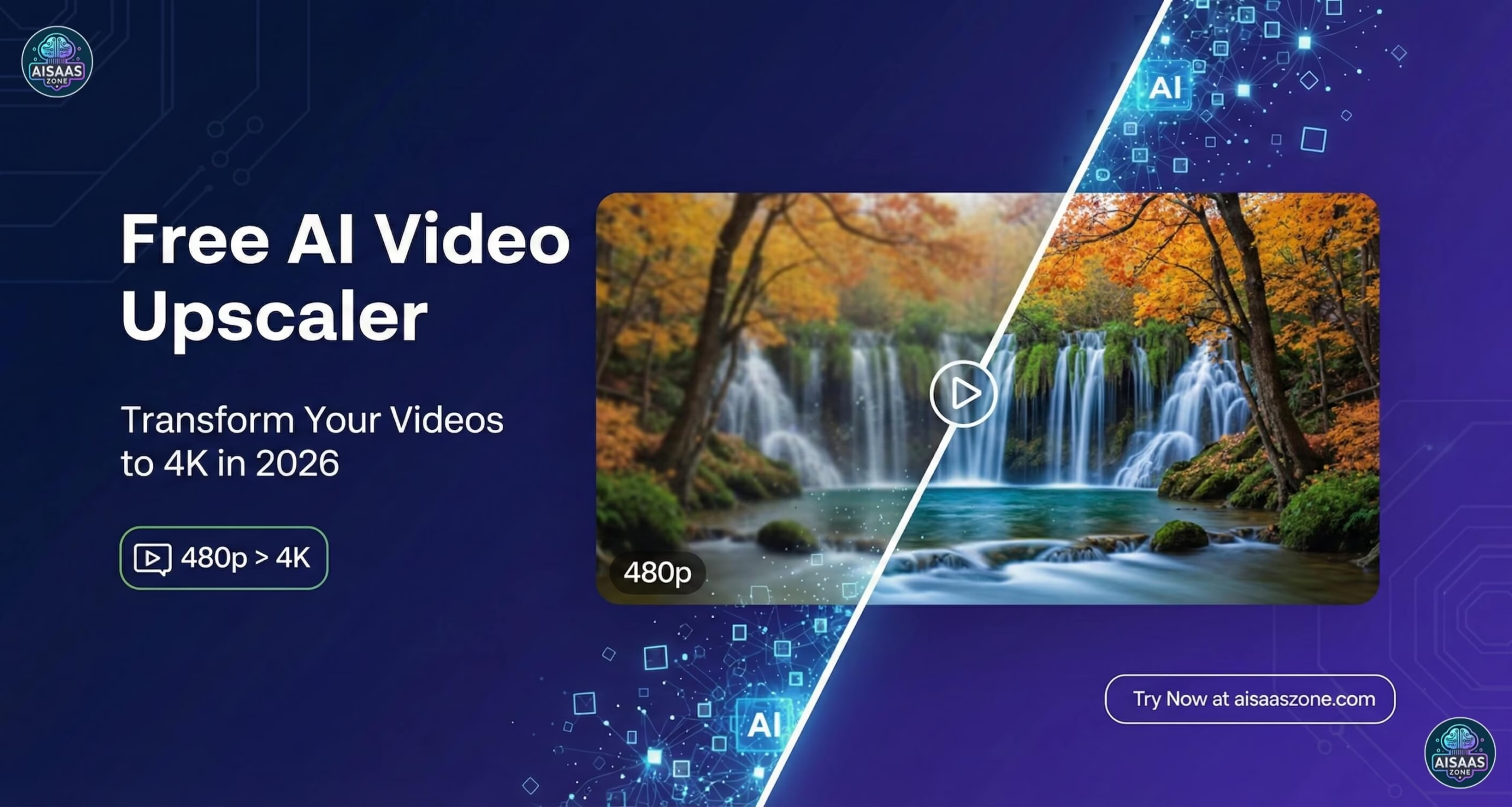
With digital content exploding on YouTube, TikTok, and professional filmmaking, demand for high-res video continues to surge in 2026. Free AI video upscalers let anyone transform low-res footage into stunning 4K (or higher) without paying. This guide, tested and updated February 2026, ranks the best options by features, honest free-tier limits, ease of use, and real-world results.
Disclosure: Some links in this article are affiliate links. We may earn a commission if you make a purchase through these links, at no additional cost to you. We only recommend tools we’ve personally tested.
🏆 Quick Picks for 2026
| Best Overall Free: | CapCut — Easy 4K, all-in-one editor, no watermark |
| Best Unlimited / No Signup: | Free AI Upscaler (WebGPU) — Browser-based, truly unlimited, 100% private |
| Best for Power Users / Anime: | Video2X — Open-source, unlimited offline, no watermark |
| Best for Old Footage (Previews): | TensorPix — Restoration + stabilization (free previews only; full use paid) |
📑 Quick Navigation
Based on hands-on testing and latest February 2026 data, here are the top free AI video upscalers:
📊 Compare AI Video Upscalers (2026)
👆 Scroll horizontally to see full table
| Tool | Ease | Online/Offline | Max Free Res | Watermark? | Max Free File/Length | Mobile App? | Best For |
|---|---|---|---|---|---|---|---|
| ⭐ CapCut | 🟢 High | Online + App | 4K | No ✓ | ~2GB online | ✅ Yes | Beginners / Social |
| ⭐ Free AI Upscaler | 🟢 High | Browser (client-side) | 4K+ | No ✓ | No limit (local) | ❌ Desktop only | Unlimited / Privacy |
| Video2X | 🟡 Medium | Offline | Unlimited | No ✓ | No limit | ❌ Desktop only | Power Users / Anime |
| TensorPix Paid for full use | 🟢 High | Online | Previews ~720p | Yes (free) | Short clips only | ❌ No | Old Footage (paid) |
| VideoProc AI Trial | 🟡 Medium | Offline | 4K/8K | Yes (trial) | ~5-min trial limit | ❌ No | Desktop Trial |
| Topaz Video AI Trial | 🟡 Medium | Offline | Pro quality | Yes (trial) | Trial limits | ❌ No | Professionals (paid) |
1. CapCut Free AI Video Upscaler ✓ Verified Feb 2026
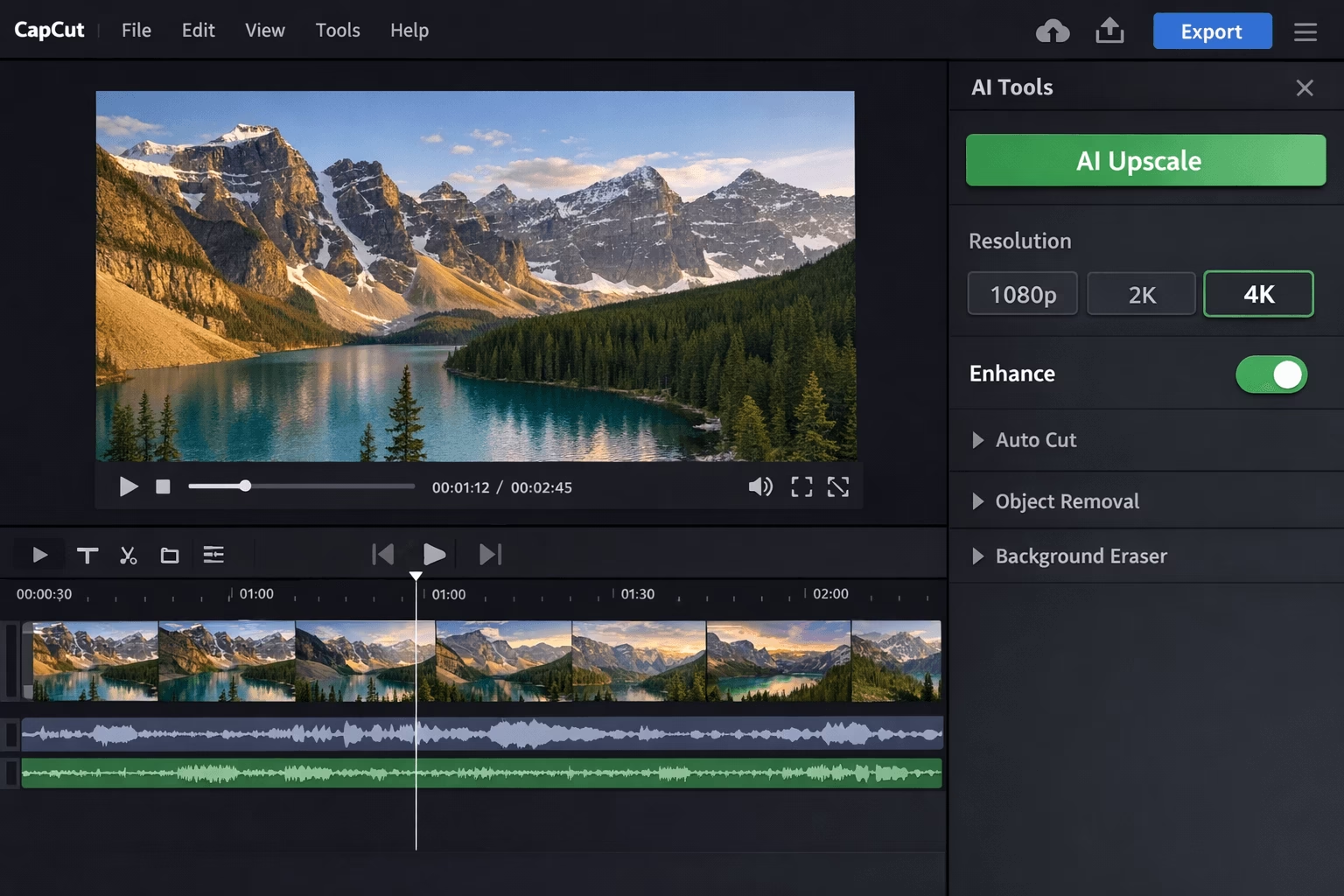
Overview: CapCut stands out in 2026 as a free, user-friendly all-in-one editor with powerful online and desktop AI upscaling — no installation needed for basic use. Owned by ByteDance (TikTok’s parent company), it is optimized for social media creators and delivers genuine 4K output with no watermark on most free exports.
Pros
- Upscales to 4K with advanced AI, minimal artifacts
- Integrates deblur, image upscale, auto-captions
- Fully free for 4K output in most cases (no watermark)
- Wide format support (MP4, MOV, AVI, MKV, WebM)
- Mobile app available (iOS & Android)
Cons
- Online version may slow on files larger than ~2GB
- Desktop app recommended for best performance
- Some advanced AI features require Pro subscription
- ByteDance/data privacy concerns for sensitive content
File size limit: No hard published cap, but files over ~2GB may experience slow processing in the online editor. Desktop app handles larger files more reliably.
Output formats: MP4 (H.264/H.265), MOV — standard formats suitable for all major platforms.
Best suited for: Beginners, TikTok/Reels/YouTube Shorts creators wanting quick, no-hassle 4K upscaling with mobile app access.
2. Free AI Video Upscaler (WebGPU Browser Tool) ✓ Verified Feb 2026
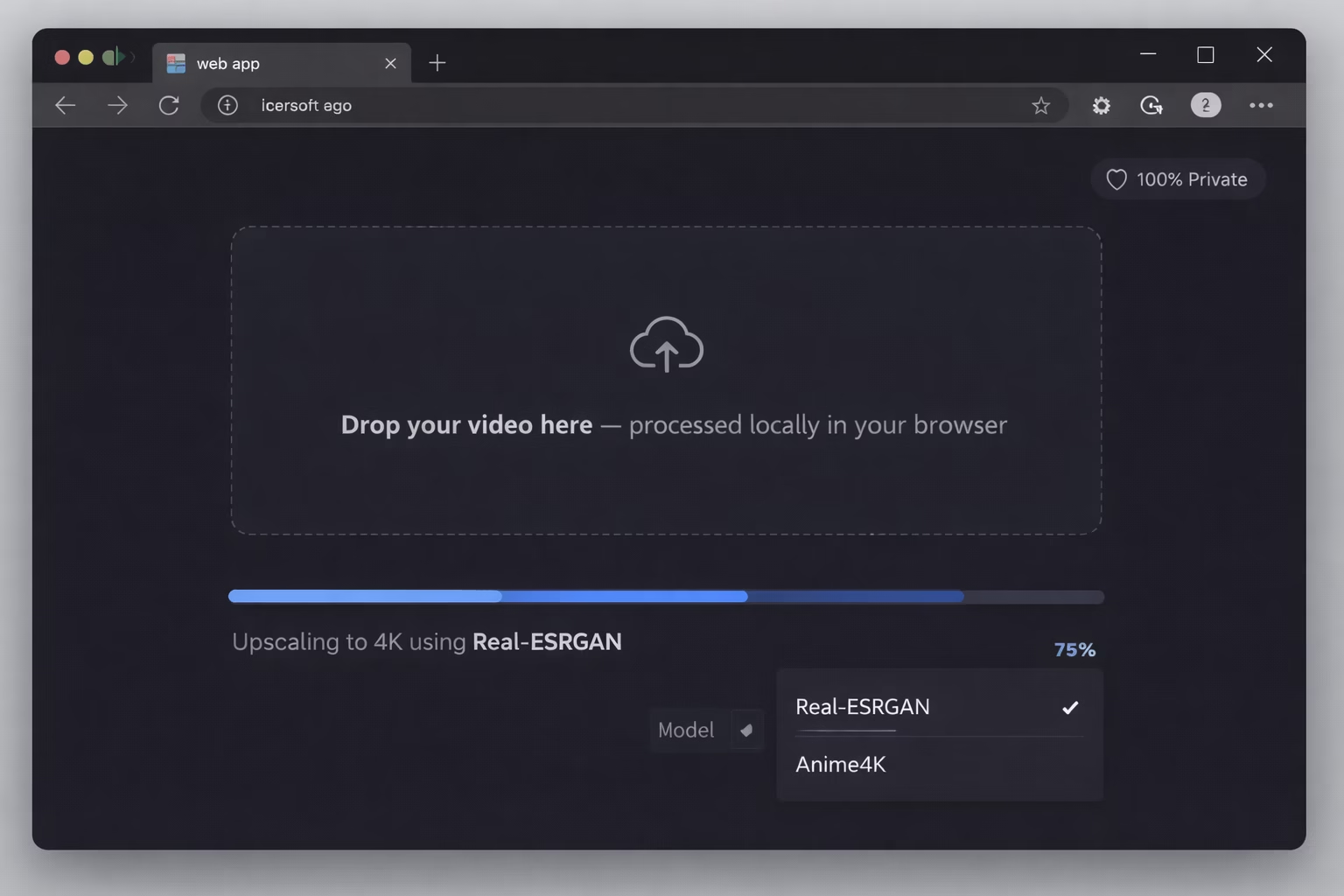
Overview: A standout 2026 option — 100% free, no signup required, client-side browser tool using WebGPU for private, unlimited processing. Your videos never leave your device, making it the most privacy-focused free option available. This open-source-inspired tool has earned strong reviews for its clean, watermark-free results and transparent operation. Works best on desktop Chrome or Edge (both support WebGPU); performance scales with your hardware.
Pros
- Truly unlimited upscaling to 4K+ — no caps, no credits
- Models include Real-ESRGAN, Anime4K, and more
- No watermarks, no accounts, no server upload
- 100% client-side — full privacy, your data stays local
- Fast on modern hardware (Chrome/Edge recommended)
Cons
- Requires WebGPU-compatible browser (Chrome 113+ or Edge 113+)
- Performance depends entirely on your local hardware
- Desktop/laptop strongly recommended — mobile may not support WebGPU
- Less advanced restoration features than paid tools
File size limit: None — processing is local, so limits are only your device’s RAM and storage.
Output formats: MP4 and WebM, depending on browser support.
Best suited for: Users wanting truly unlimited, free, private browser-based upscaling without installs, accounts, or uploading footage to any server.
3. TensorPix AI Video Enhancer Paid for full use ✓ Verified Feb 2026
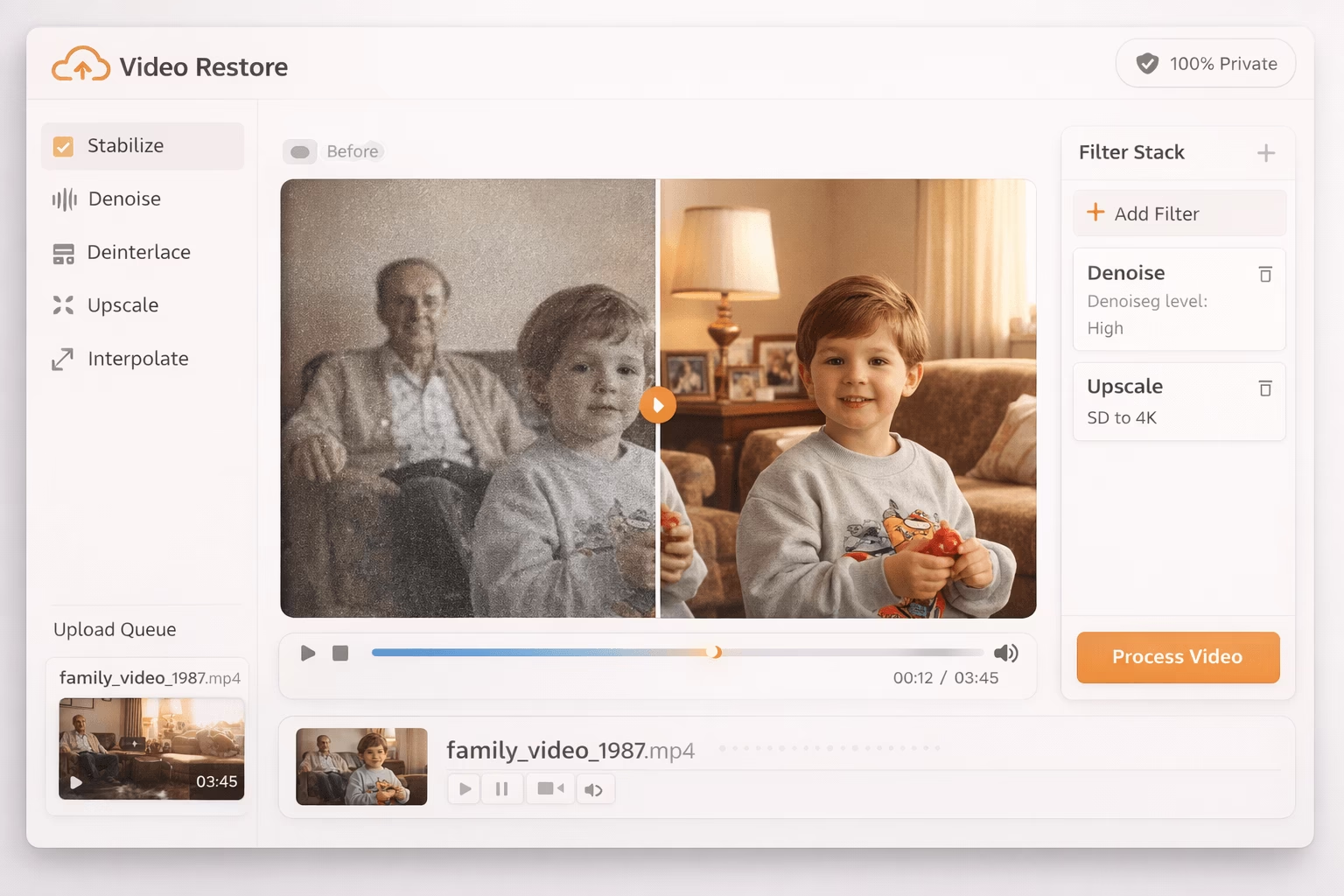
Overview: TensorPix specializes in video restoration and enhancement, making it ideal for breathing new life into old footage, home videos, and archival content. Cloud-based processing means no hardware requirements. Important: the free tier is very limited — it offers only short watermarked previews rather than full video processing. Full use requires purchasing credits or a subscription.
Pros
- Best-in-class quality for old footage restoration
- Video stabilization built-in
- Frame interpolation up to 60FPS
- Denoising and artifact removal
- Cloud-based — works on any device, no GPU needed
Cons
- Free previews only — watermarked, short clips (~720p or less)
- Full processing requires paid credits or subscription
- Queue times during peak hours
- Storage caps on free accounts
File size / free limit: Free tier processes only short preview clips (a few seconds), watermarked. Full video processing requires purchase.
Output formats: MP4 (H.264) on paid plans.
Best suited for: Users with old family videos, VHS digitizations, or archival footage who are willing to pay for professional-grade restoration, stabilization, and enhancement.
4. Video2X Open-Source Upscaler ✓ Verified Feb 2026
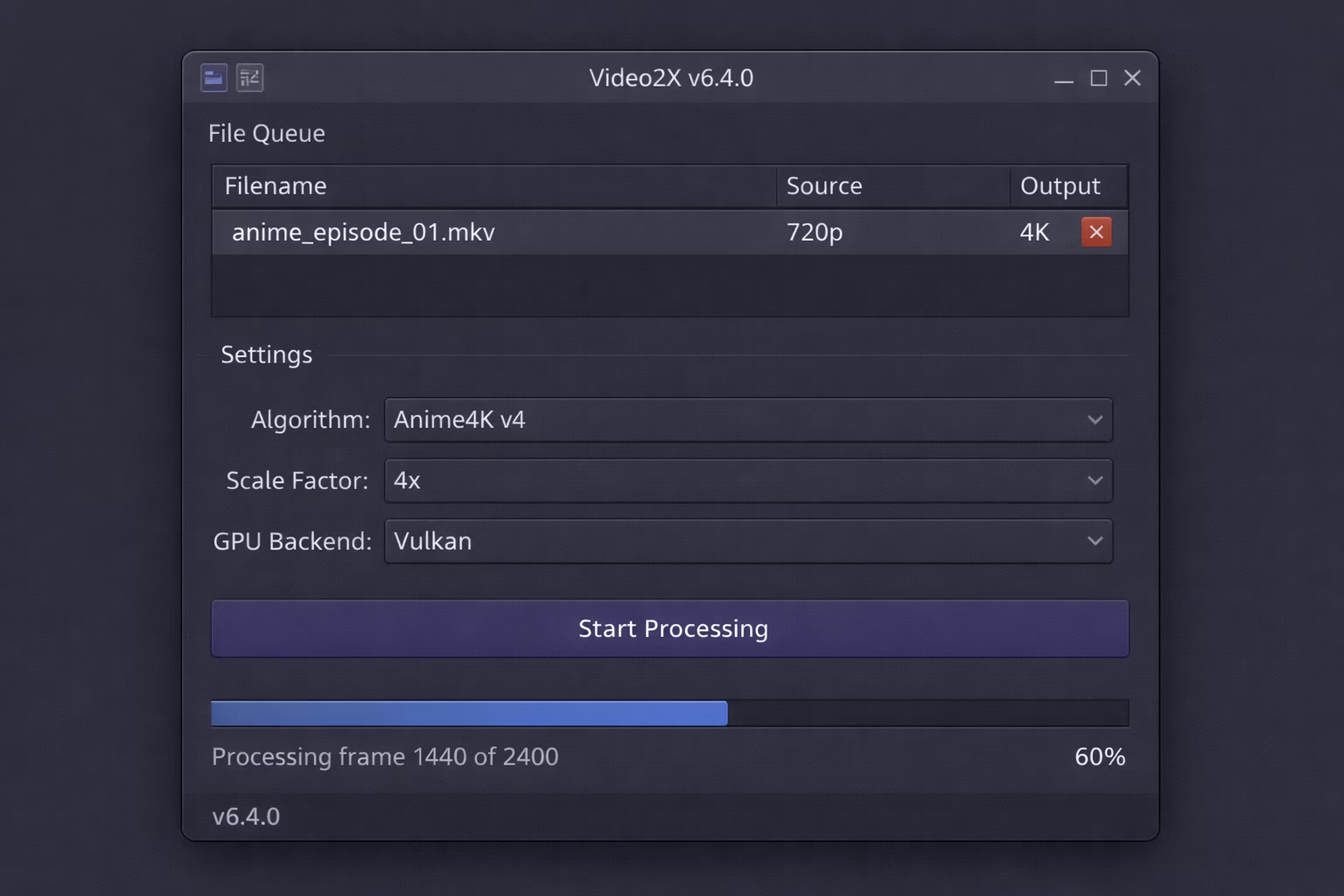
Overview: Powerful open-source upscaler with a major v6.4.0 release (January 2025) that introduced a completely rewritten C/C++ core for significantly better efficiency, a redesigned Qt6 GUI, improved queue management, Vulkan GPU acceleration, and cross-platform support (Windows and Linux AppImage). Completely free with no limitations, no watermarks, and no paywalls.
Pros
- Truly unlimited free 4K+ — no paywalls, no watermarks
- Waifu2X, Real-ESRGAN, Anime4K v4 — best for anime
- Frame interpolation support
- Vulkan GPU acceleration for high performance
- Open-source — fully transparent, community-maintained
- C/C++ rewrite in v6.4.0 = better speed and efficiency
Cons
- Requires installation (not web-based)
- Needs a decent GPU for practical performance
- Steeper learning curve than online tools
- No cloud processing — fully local only
File size / free limit: No limit — fully offline, no upload restrictions.
Output formats: MP4, MKV, AVI, and most common formats via FFmpeg integration.
Best suited for: Tech-savvy users, anime enthusiasts, and anyone wanting unlimited offline upscaling with no strings attached.
5. VideoProc Converter AI Free Trial ✓ Verified Feb 2026
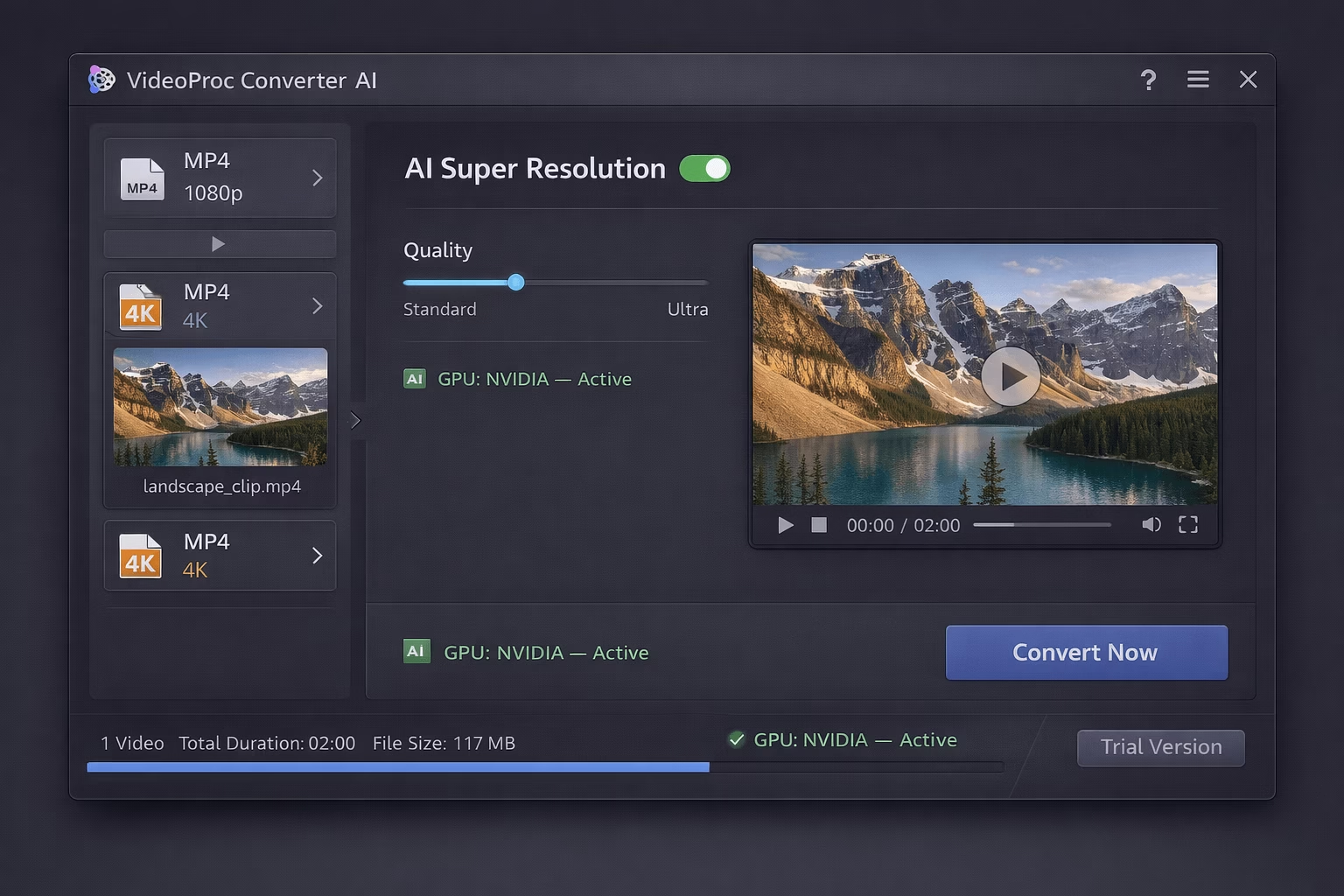
Overview: VideoProc Converter AI is a desktop application offering AI-powered upscaling up to 4K/8K with hardware acceleration. Note: this is a trial product, not a free tool — the free version is limited to 5 minutes of output and adds a watermark. It is listed here so you can evaluate professional-grade desktop quality before purchase.
Pros
- Up to 4K/8K upscaling capability
- GPU acceleration (NVIDIA, AMD, Intel)
- Video stabilization included
- Format conversion built-in
- Clean, user-friendly interface
Cons
- 5-minute trial limit + watermark on free output
- Full version requires paid purchase
- Desktop-only (Windows & Mac)
- Not truly free — trial evaluation only
File size / free limit: 5-minute output cap with watermark on trial.
Output formats: MP4, MOV, MKV, AVI, and more via built-in conversion.
Best suited for: Users who want to test professional desktop upscaling quality before deciding to purchase.
6. Topaz Video AI Trial Only ✓ Verified Feb 2026
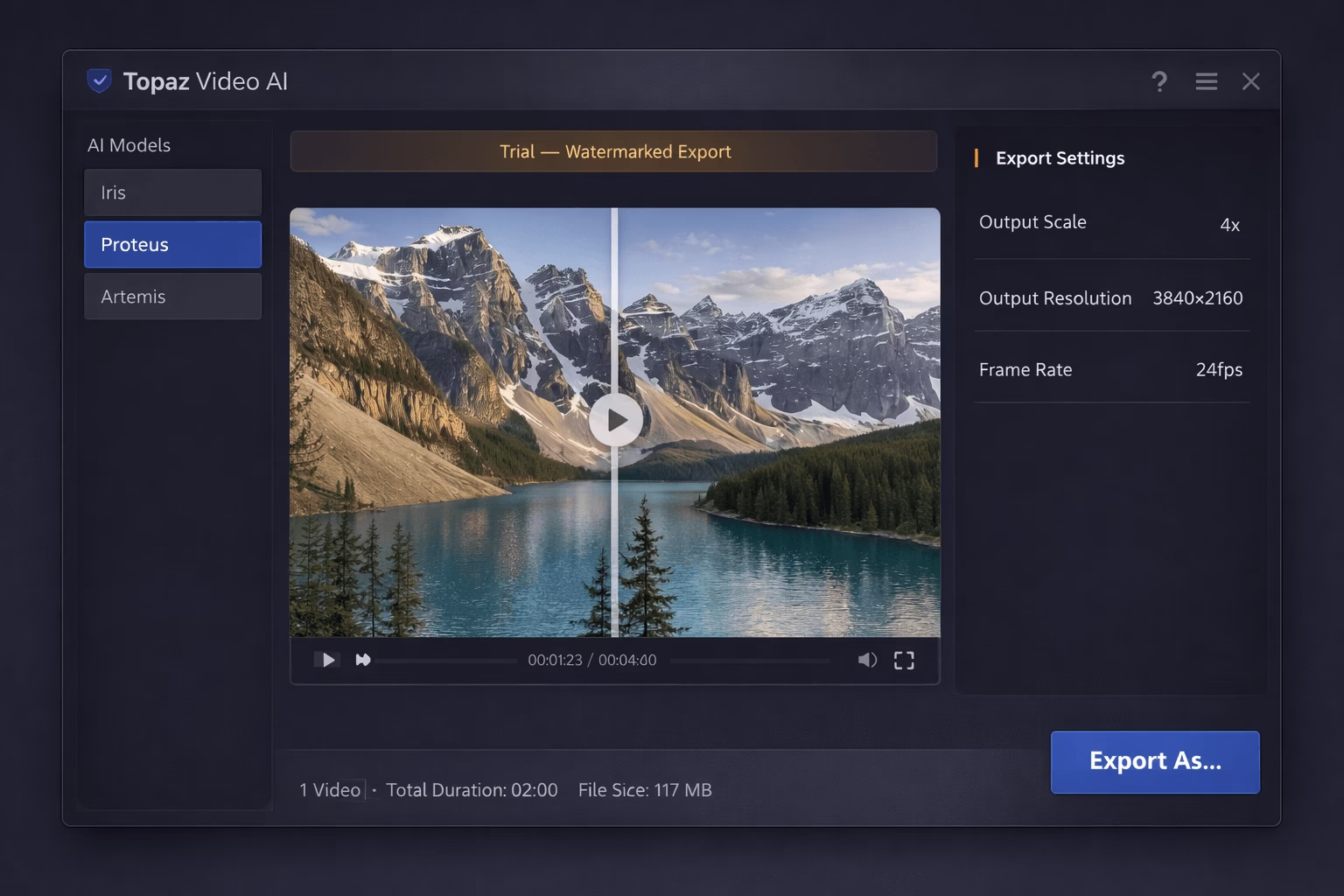
Overview: Topaz Video AI is the industry-standard professional upscaling tool used by filmmakers, restoration experts, and studios. It is not free — the trial exports are watermarked, and the full version costs approximately $299. It is included here as the quality benchmark that free tools are measured against.
Pros
- Best-in-class quality (Iris, Proteus, Artemis models)
- Professional film restoration capabilities
- Frame interpolation and slow-motion
- Noise reduction and stabilization
- Trusted by Hollywood studios and broadcasters
Cons
- Watermarked trial only — not free
- Full version ~$299 upfront
- Requires powerful GPU hardware
- Steep learning curve for new users
File size / free limit: No clip length restriction in trial, but all exports are watermarked.
Output formats: ProRes, MP4 (H.264/H.265), DNxHD, and more professional formats.
Best suited for: Professionals, filmmakers, and serious hobbyists who need the absolute best quality and can justify the investment.
Other Noteworthy AI Video Upscalers
Beyond the top picks, these tools also deserve consideration:
Fotor AI Video Upscaler
Easy online tool integrated with Fotor’s photo editing suite. Great for quick social media enhancements with a simple drag-and-drop interface.
Try Fotor →Canva Video Upscaler
Simple integrated upscaling tool for quick enhancements. Perfect if you’re already using Canva for design — browser-based, no extra software needed.
Try Canva →Unblurimage.ai
No-signup free 4K upscaling with preview. Specializes in deblurring shaky or out-of-focus footage with a straightforward interface.
Try Unblurimage.ai →Media.io AI Enhancer
Online tool with AI upscaling, noise removal, and color correction. Free tier available with reasonable clip limits for casual use.
Try Media.io →Vmake AI Enhancer
AI-powered enhancement focused on e-commerce and product videos. Particularly useful for online sellers wanting clean, sharp footage.
Try Vmake →HitPaw Video Enhancer
Desktop tool with multiple AI models optimized for different content types (animation, portrait, general). Free trial available.
Try HitPaw →How to Choose the Right Free AI Video Upscaler in 2026
By use case:
- Social media content: CapCut — all-in-one editing, upscaling, and mobile app
- Truly unlimited & private: Free AI Upscaler (WebGPU) — no signup, no server upload
- Old footage restoration: TensorPix — best quality, but budget for paid credits
- Anime content: Video2X — Waifu2X and Anime4K models are unmatched
- Professional projects: Topaz Video AI — accept that it costs ~$299
By hardware:
- No GPU / weak hardware: Online tools — CapCut or TensorPix (cloud-based)
- Modern GPU (NVIDIA/AMD): Video2X, VideoProc trial, or Topaz trial
- Just a modern browser (Chrome/Edge): Free AI Upscaler (WebGPU)
By budget:
- 100% free, no limits, no watermark: Video2X or Free AI Upscaler (WebGPU)
- Free with some limits: CapCut (best all-rounder)
- Willing to pay for restoration: TensorPix (credits/subscription)
- Professional investment: Topaz Video AI (~$299)
Tips for Getting the Best Results from Free AI Video Upscalers
1. Start with the best source quality possible — AI upscaling enhances what’s already there; it cannot invent detail that was never captured.
2. Test with short clips first — Before processing a full video, test your settings on a 10–30 second segment to verify quality and settings.
3. Match the model to your content — Use anime-specific models (Anime4K, Waifu2X) for animation; realistic models (Real-ESRGAN) for live-action footage.
4. Consider your output platform — 4K is overkill for TikTok or Instagram Stories. Match resolution to where you’ll publish.
5. Use WebGPU tools for unlimited free upscaling — Open Chrome or Edge on desktop and visit free.upscaler.video for truly unlimited, private processing.
6. Prioritize client-side tools for sensitive footage — For personal or confidential content, choose tools like the WebGPU upscaler or Video2X that never upload your files to external servers.
7. Batch similar content together — Process videos with similar characteristics together to maintain consistent output quality and settings.
Looking to create videos from scratch? Visit our Top 60+ AI Video Generation Tools of 2026 to pair upscaling with creation!
Conclusion: Best Picks for 2026
After extensive hands-on testing through February 2026, here are our final recommendations:
| Best overall free (social media): | CapCut — 4K, no watermark, mobile app |
| Best truly unlimited & private: | Free AI Upscaler (WebGPU) — no signup, no server, no limits |
| Best for old footage (paid): | TensorPix — premium restoration, credits required |
| Best unlimited offline (free): | Video2X — open-source, no watermark, no limits |
| Best professional quality: | Topaz Video AI — industry standard (~$299) |
For a genuinely free start, choose CapCut for social media or the Free AI Upscaler (WebGPU) for unlimited private processing — both deliver impressive 4K results at zero cost today.
Frequently Asked Questions
Can AI really upscale video to 4K for free?
Yes! Tools like CapCut, Free AI Video Upscaler (WebGPU), and Video2X can genuinely upscale video to 4K resolution at no cost. The quality varies based on your source footage and the AI models used, but modern AI upscalers produce impressive results that were only possible with expensive software a few years ago.
What’s the best free AI upscaler for anime videos?
Video2X is the best choice for anime, offering specialized models like Waifu2X and Anime4K v4 that are specifically trained on animated content. These models preserve sharp lines and vibrant colors that generic upscalers often blur.
Do I need a powerful GPU for AI video upscaling?
Not necessarily. Cloud-based tools like CapCut and TensorPix process videos on their servers, so any device can use them. For offline tools like Video2X, a modern GPU (NVIDIA GTX 1060 or better) significantly speeds up processing but isn’t strictly required. The Free AI Upscaler (WebGPU) processes locally using your browser’s GPU access — a mid-range GPU will give solid results.
Is upscaled video as good as native 4K?
AI-upscaled video can look very impressive, but it’s not identical to native 4K footage. AI adds detail based on learned patterns, which works well for most content but may introduce artifacts or miss fine details in original footage that would be captured by actual 4K cameras. For most viewers and platforms, the difference is minimal.
What video formats do AI upscalers support?
Most AI upscalers support common input formats like MP4, MOV, AVI, MKV, and WebM. CapCut and Video2X have the widest format support. For output, most tools export MP4 (H.264 or H.265); professional tools like Topaz also offer ProRes. If you have an unusual format, convert it to MP4 first using a free tool like HandBrake.
Which free AI video upscaler has no watermark?
CapCut (most exports), Free AI Video Upscaler (WebGPU), and Video2X offer watermark-free exports on their free tiers. TensorPix applies watermarks to its free preview clips — full watermark-free exports require paid credits. Topaz Video AI and VideoProc add watermarks to trial exports.
What file size limits do free AI upscalers have?
File size limits vary by tool. CapCut handles most files but may slow on files larger than ~2GB for online processing (use the desktop app for larger files). TensorPix free tier is limited to short preview clips only. The Free AI Upscaler (WebGPU) has no server-side limit — processing is entirely on your device. Video2X has no limit as it runs offline. VideoProc trial caps exports at 5 minutes regardless of file size.
How long does AI video upscaling take?
Processing time varies greatly depending on video length, resolution, and the tool used. A 1-minute 720p video might take 2–10 minutes with online tools, while offline tools with GPU acceleration can be faster. Longer 4K upscales of hour-long content can take several hours.
Can I upscale old VHS or DVD footage with AI?
Yes! TensorPix specializes in restoring old footage with features like stabilization, denoising, and deinterlacing — though full processing requires paid credits. Video2X and Topaz Video AI also excel at improving vintage video quality. Results depend on source quality, but AI can significantly improve old recordings.



Just tried CapCut’s free AI upscaler and it’s amazing for converting video to Live Photo! Super easy to use, and the quality is crisp. Perfect for spicing up my Instagram stories. Anyone else tried these tools? Would love to hear your favorites! livephoto.video
Just tried CapCut’s free AI upscaler and it’s amazing for converting video to Live Photo! Super easy to use, and the quality is crisp. Perfect for spicing up my Instagram stories. Anyone else tried these tools? Would love to hear your favorites! livephoto.video
This list of free AI video upscalers for 2025 is super useful! Covering noise reduction and 4K upscaling, it includes online and desktop versions, easy for beginners. Wondering if free versions have watermarks or duration limits for exports?
Honestly, if you’re not using CapCut or Free AI Upscaler, what are you even doing? Those are game-changers for anyone trying to level up their video content without spending a dime.